

Auto full Backup
Posted
#5259
(In Topic #1060)

Is it possible to make an auto full Backup of the website (daily, weekly & monthly) with defining the a specific path on the server ?
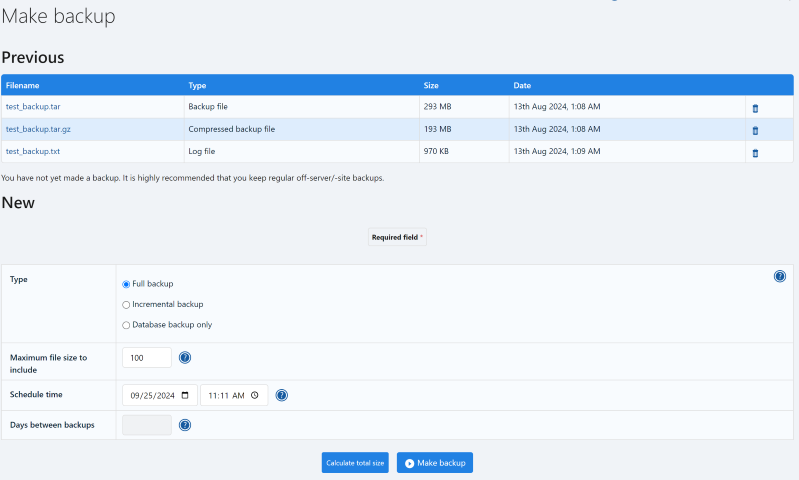
I can find a tutorial at this link https://compo.sr/docs/tut-backup.htm with the bellow photo, but I can't find the Schedual time on my website of the Backup function !
Posted



Moderator


 Have you set up the Cronjob (Set up scheduler) from the Tasks Checklist of the Admin Zone? It will require that to be set up correctly before the option appears.
Posted
Moderator
Composr Tutorial: Basic configuration and getting started

Open Source CMS with advanced social, interactive and dynamic features. Fully flexible, themeable and extendible: suitable for building powerful websites.
Posted
I have type this command
Code (php)
And received:
/bin/php -C -q –no-header /home1/xxxxx/public_html/cp/data/cron_bridge.php
Then typed this command
Code (php)
I got a blank page

Moderator
Calling the script directly will return a blank page so that's normal but it will have removed that task from the Admin Zone checklist and may have provided the scheduled backup options. You will need to use your web hosting Control Panel (or Windows Task Manager/Scheduler) to set a recurring Cronjob/Task for it to 'truly' work.
1 guest and 0 members have recently viewed this.



