

Compo.sr will not upgrade from OCP 9.0.28
Posted
#938
(In Topic #243)

I've gone through the ocPortal ugrader, thinking that was the correct way as indicated on the
Download Composr

Open Source CMS with advanced social, interactive and dynamic features. Fully flexible, themeable and extendible: suitable for building powerful websites.
Am I missing something that I should have done?
Posted


Moderator


Please see the instructions in here:
Upgrading from ocPortal v8/v9 to Composr v10
How to upgrade from ocPortal to Composr
We'd accidentally allowed it to slip off the front page.
Posted
Thanks, tried that, it seemed to work, and then got this:Chris Graham said
Hi,
Please see the instructions in here:
Upgrading from ocPortal v8/v9 to Composr v10
How to upgrade from ocPortal to Composr
We'd accidentally allowed it to slip off the front page.
From “Post #889”, 12th Jul 2016
Screenshot 2016-07-31 at 2.35.01 AM.png

(Click to enlarge)
Posted
Moderator
We renamed info.php to _config.php in v10, and the new code automatically will rename it for you, but the upgrader extractor launched from v9 still relies on info.php being there until it's finished.
Actually thinking about this now, it could be CRON, or someone else hitting the site. That's definitely a big issue we didn't consider, so we'll fix that in the next RC by doing a copy of the file rather than a rename. Sorry for the inconvenience.

Posted

Posted
Moderator
Posted
Chris Graham said
Did you do the database upgrade step (step 5)? I think you skipped over it to step 8.
From “Post #922”, 25th Jul 2016
That may have been the problem, as all seems to be working now on RC14. Thanks for the replies! Once final is released and I can complete the site, I have a sneaking suspicion I will have to spread the word on Compo.sr

So many tools, so many options and amazing support.
Posted
Moderator
.
Posted
An error has occurred UTC change.pdf
Posted
Moderator
There's a way to fix that in the system, but I wasn't aware it happened for v9 to v10 upgrades.
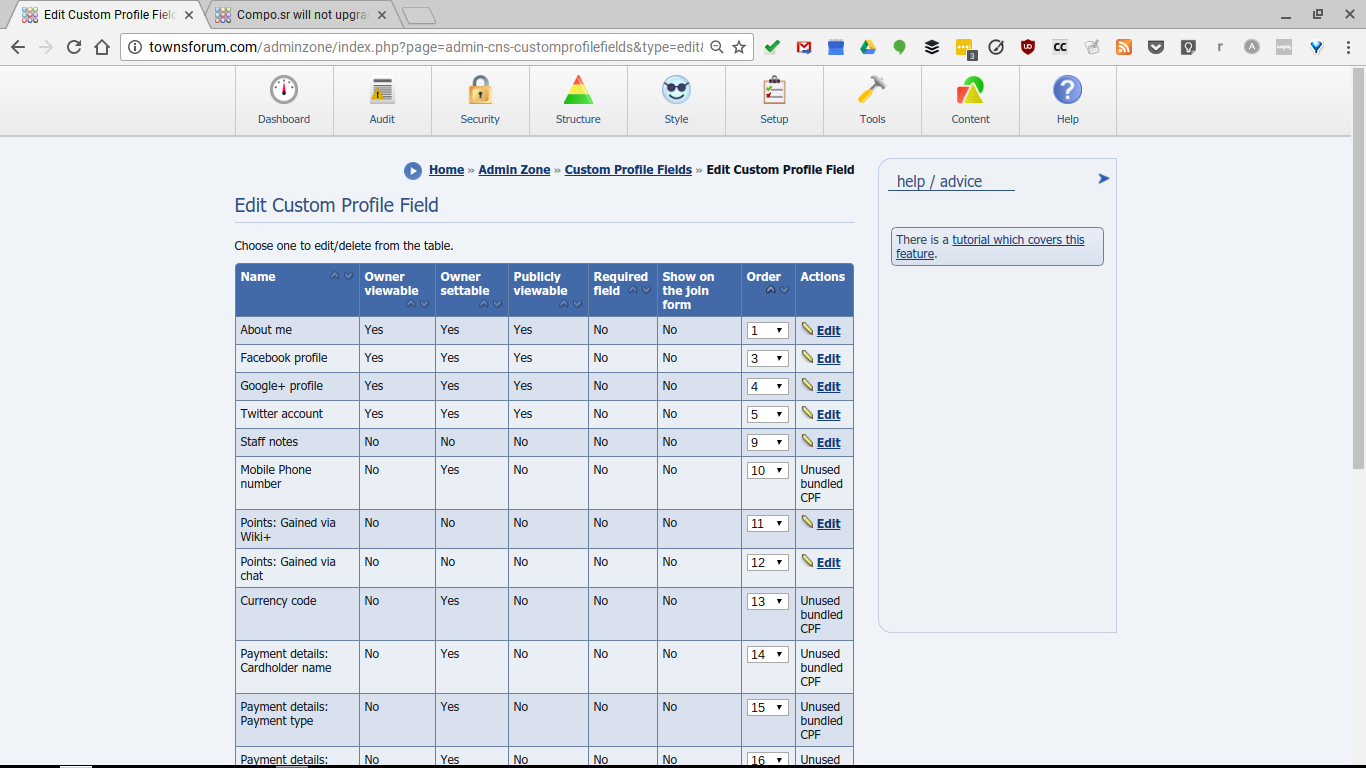
You need to edit the CPF #11 and it will correct itself. Admin Zone > Tools > Members > Custom Profile Fields > Edit Custom Profile Field… click Edit next to the one that say "Edit #11" on the edit tooltip.
Posted
Not sure that is the one, as that seems to apply only to the Wiki. See screenshot:Chris Graham said
Oh, rats.
There's a way to fix that in the system, but I wasn't aware it happened for v9 to v10 upgrades.
You need to edit the CPF #11 and it will correct itself. Admin Zone > Tools > Members > Custom Profile Fields > Edit Custom Profile Field… click Edit next to the one that say "Edit #11" on the edit tooltip.
From “Post #928”, 27th Jul 2016
EDIT:
The error occurs even if I try to edit the "Title" tab from blank to any string at all.
 Last edit: by cupper3
Posted
Moderator
I just tested and can confirm the bug. There are few affected fields, I suggest just putting them all through an edit, then it can be okay.
I'll work on fixing the upgrade process, this is a legacy issue.
Posted
I'll be guided by whatever suggestions you may have.
Posted
Moderator
That's very nice of you to offer
.We've fixed 100s, possibly 1000s of bugs over our longest testing period ever at this point, so we should be very close to release. But, things always creep up and surprise us.
Probably the best things to test is actually what I can't think of, the most obscure parts of the software.
0 guests and 0 members have recently viewed this.



