

New member not showing up on Member Directory
Posted
#8364
(In Topic #2093)

The member is circled on my attachment where they show up on the Usergroup page (Art-Lover) but you will see on the Member Directory screenshot they are missing.
When I noticed the problem I was running a slightly earlier version. I thought maybe if I upgrade the problem will resolve… but no. I am now running version 10.0.50 and the problem persists.
Any clue as to why this problem happens?
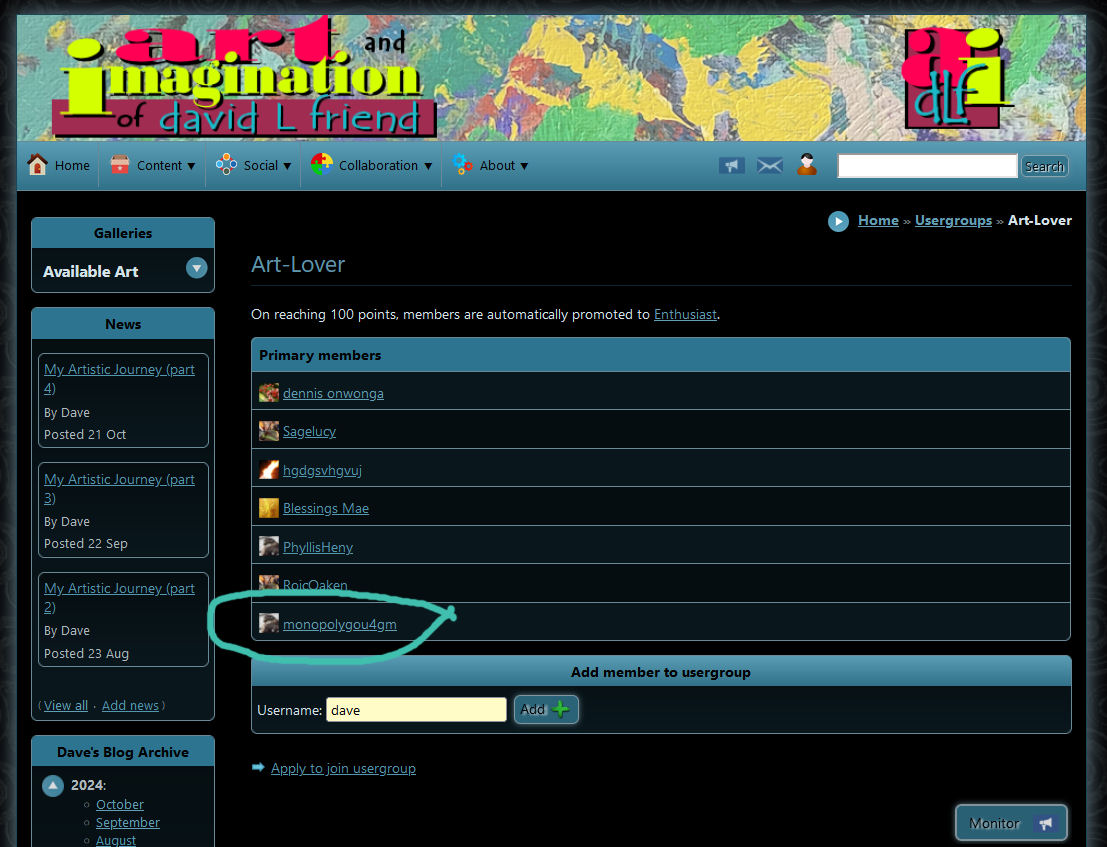
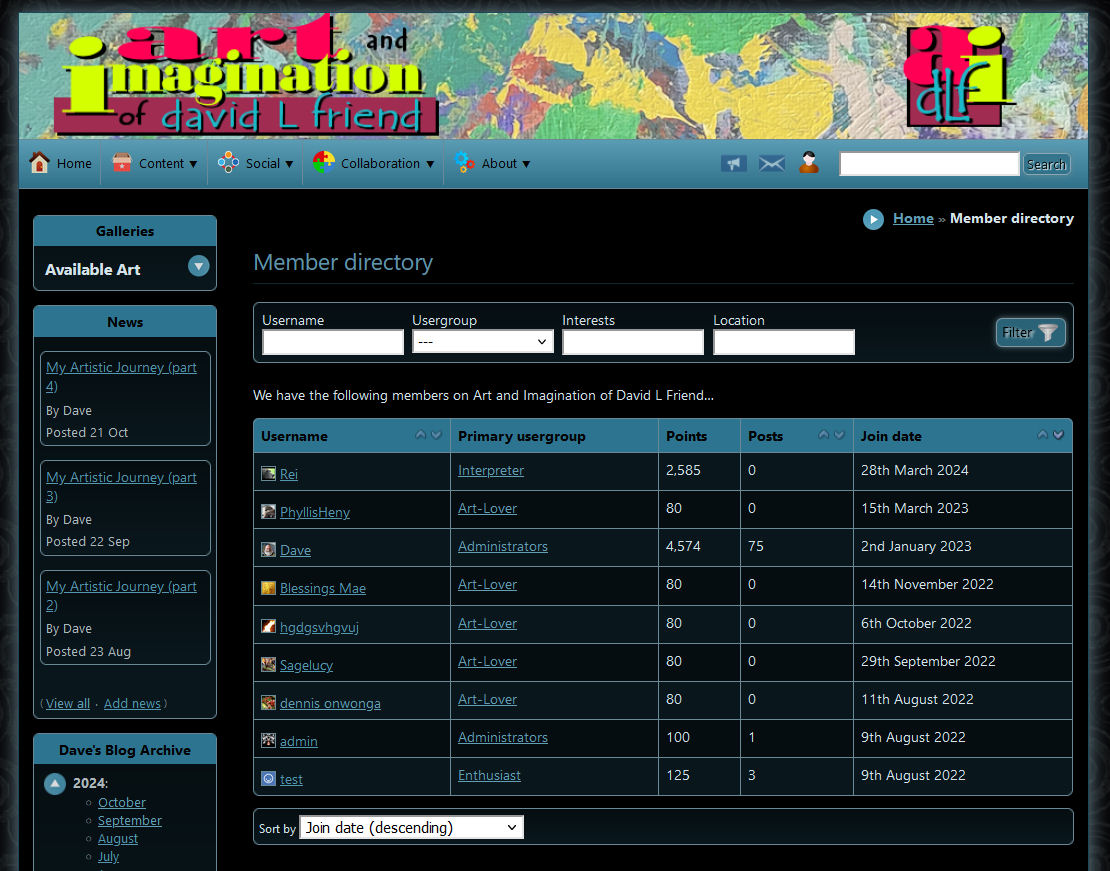
Posted
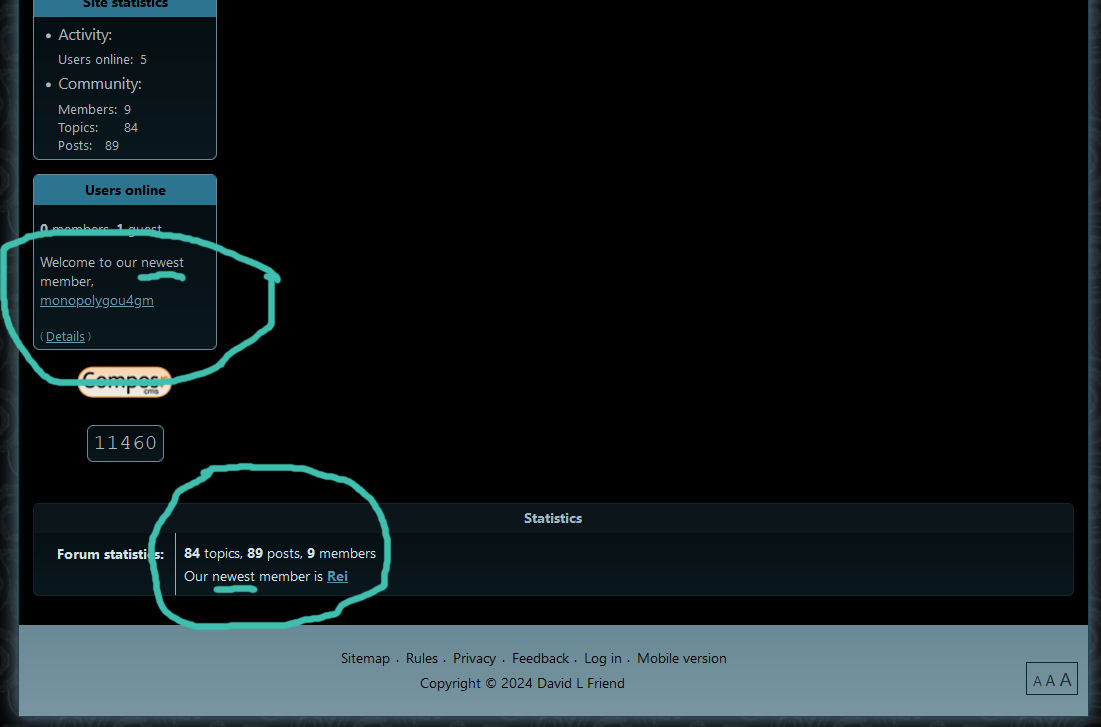
Posted



Core Developer


My best guess is the following:
- The usergroup pages are not cached.
- The users online and the forum statistics are blocks which have their own cache. The member directory also runs as a pseudo-block and therefore also has a cache. As such, they've been delayed with updating.
The cache should have been cleared though on a new member registration, but perhaps that code was never implemented / was forgotten.
Clear your block cache under Admin Zone > Tools > Website cleanup tools whenever this happens, and that should do the trick.
Posted
Even having done this cache clearing now, if this was the problem, the issue should have been fixed at the time I had upgraded to version 10.0.50... since the newest member had joined before I upgraded.
Thanks for your reply and idea.
+++++++++++++++++++++++++++++++++++++++++++++++++++++++++++++++++++++++++++++++++++++++++++++++
On another issue, I'd like to report that when I make a reply here on Composr's forum, I am always greeted by the error message: "An error has occurred You cannot create a private topic/post to yourself." at this point I go to the Whisper spot where I see my name shown. I remove my name and the post is accepted.
not a crippling bug but annoying. I've noticed it for a long time but never mentioned it.
Posted
Core Developer
That's weird. I'd say at this point, add to the tracker, but it's unlikely it will get fixed anytime soon since v10 has fallen into long-term maintenance status (only critical bugs are getting fixed).
For the bug regarding this site, I haven't seen that bug before. Can you tell me exactly what you do step-by-step so I can try reproducing it? E.g. what buttons do you click, what navigation paths do you take?
Posted
Now before I have hit PREVIEW or POST REPLY I note the WHISPER fill in space is empty.
I just hit PREVIEW and see the WHISPER space is still empty.
I pressed POST REPLY and have not encountered the problem I had reported.
Posted
Anything else you would like to know about this?

Moderator


Are you sure this isn't related to your browser's autofill feature, or perhaps a password manager (my LastPass sometimes does this).
Posted
But for the life of me I can't imagine why I would try to WHISPER to myself.
Thanks Adam.
Posted
Core Developer
With autocomplete, it's based off of keywords like "username" being attached to the field. I think maybe the whisper field might be tagged with some sort of keyword like that in which you've defined your own username (probably on a different site), thus it's auto-filling despite you not having whispered to yourself.
I'd say add this to the tracker. I'm considering this an actual bug. The whisper field should probably not be tagged with any auto-fills. While it probably won't be fixed for v10, I'll look into it for v11 and see if it's still an issue.
0 guests and 0 members have recently viewed this.

