

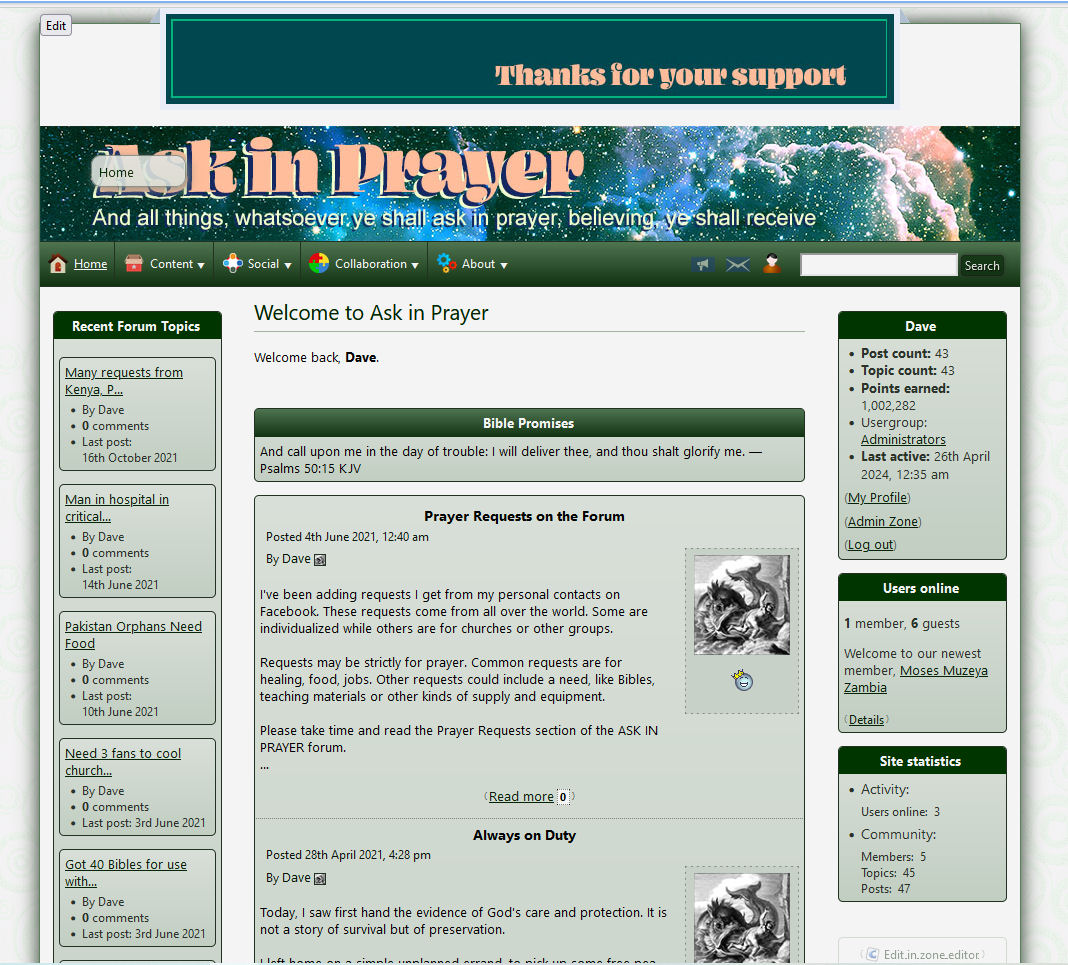
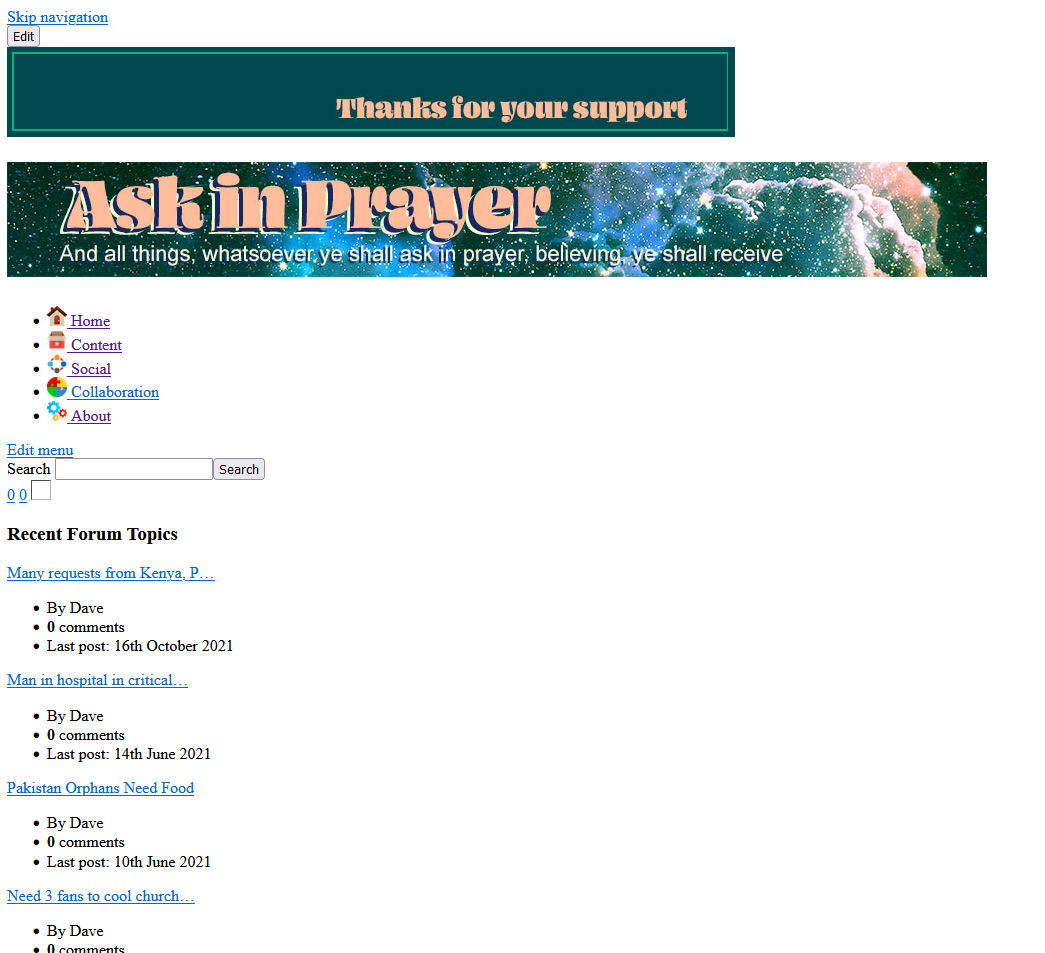
Site design breaks down under HTTPS: but not HTTP:
Posted
#8130
(In Topic #2055)

Any suggestiions as to what might be the reason for this?
Posted



Moderator


Welcome to Ask in Prayer

website about prayer, praying and the God who answers prayers
Maybe you've edited your current theme and hardcoded a http link somewhere?
Posted



Core Developer


Some CSS / JavaScript is attempting to be loaded over HTTP, and your web browser is blocking it for security because you loaded the site over HTTPS.
As Adam mentioned, you might have hard-coded HTTP links in your themes. Try fixing those and then clearing the cache (both Composr and web browser) and see where that gets you.
Posted
One of the things I have determined not to do is to change any of the Templates or CSS as it comes from Composer. I used the theme wizard provided by this software alone to create the theme. To me it seemed when upgrades come it will be easier on the themes I use to not have to redo anything more than I have to. Thats my approach strictly from a unititarian standpoint and not an ultimate design perspective. So as (slightly) limiting as that may be, it was how I created this theme.
Having said that I am wondering (having skimmed through my site) where any HTTP: or HTTPS: reference might be? I saw in the Point Store there are 3 places that had HTTP:// in them. (These are - E-mail forwarding maintenance URL POP3 maintenance URL POP3 quota maintenance URL ) Not sure any of these would make the crash scenerio happen but I dont know. I changes them to HTTPS:// and checked out the site - no difference.
Beyond that, I can not clearly remember, but wonder, if in the original site setup there might be any places that would call for a HTTP:// vs HTTPS:// designation?
Posted
Core Developer
There are several. But it's hard to pinpoint without getting more information.
When you load the broken HTTPS site, can you right-click and open developer tools / inspect element? Then go in the console and let me know any errors you get, potentially regarding URLs getting blocked from loading.
Posted
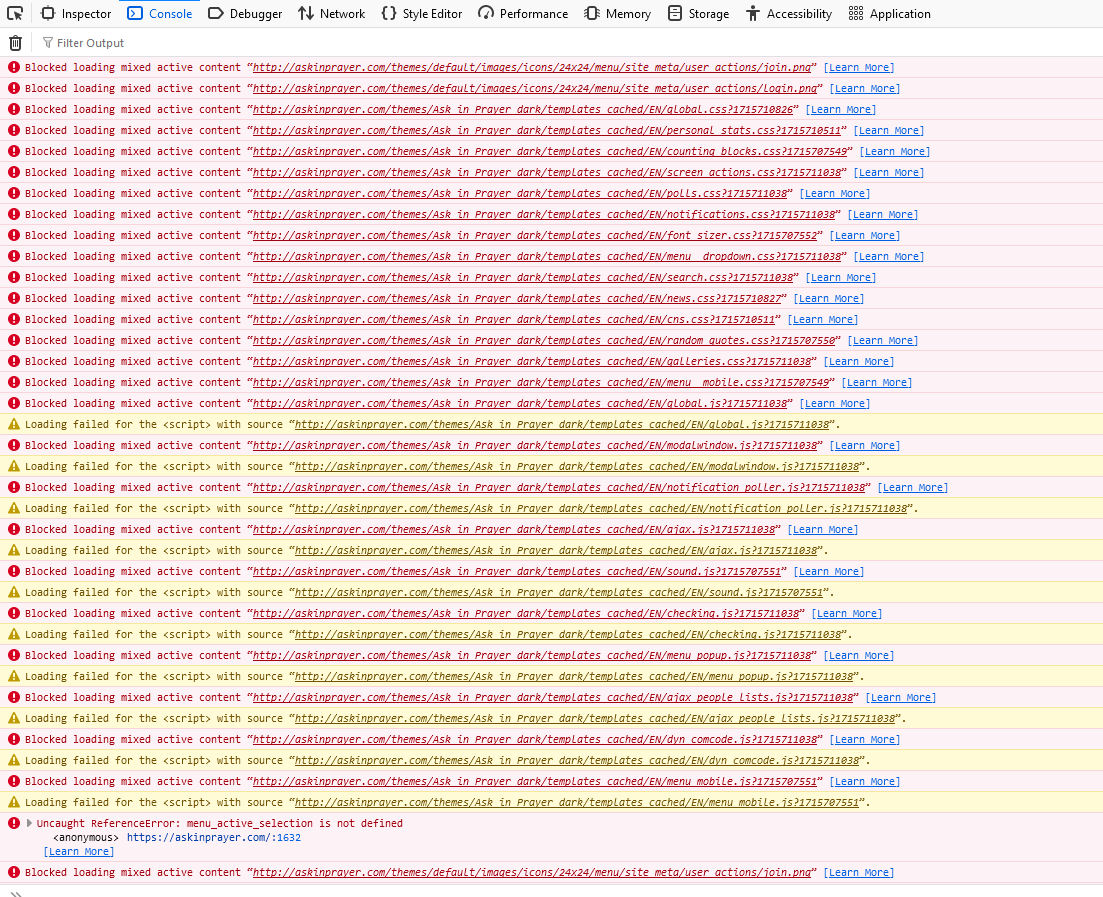
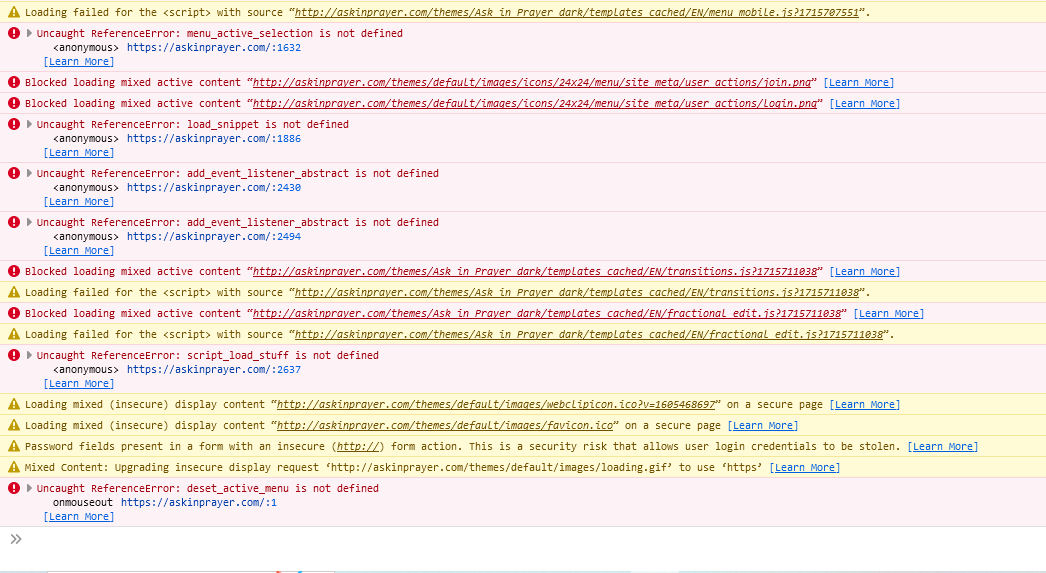
Pardon my ignorance but does this give some clue as to what is the cause?
Thanks for your help.
Posted
Core Developer
Try clearing your template cache first and see if that does any good (Admin Zone > Tools > Website Cleanup Tools). Also double-check your base URL. If the base URL has HTTP in it, that will cause Composr to do that. Ideally now that you have HTTPS, you should force everything to run on HTTPS, which also means changing your base URL in _config.php to start with HTTPS.
Thank you.
I had thought in the begining there was a place for the base URL to be entered, but I didnt know exactly where to find it... and I was hesitant to get into that part that required the master password.
Thanks again for the help!
Posted
Core Developer
2 guests and 0 members have recently viewed this.

