

How to enable the system scheduler in v11

Post

Posted
Rating:
#7855 (In Topic #2006)
How do you enable the System Scheduler in v11?

Post

Posted
Rating:
#7857
Hello.

It's basically the same as version 10. You set up a Cron job to run every minute (although every 5 minutes will work too if you want to save on resources). Ideally you call PHP cli directly to run data/cron_bridge.php . But if that's not available, or your cli PHP version is older than your web PHP version, you can call data/cron_bridge.php as a web request (but be aware this could result in timeouts).
Post

Posted
Rating:
#8021
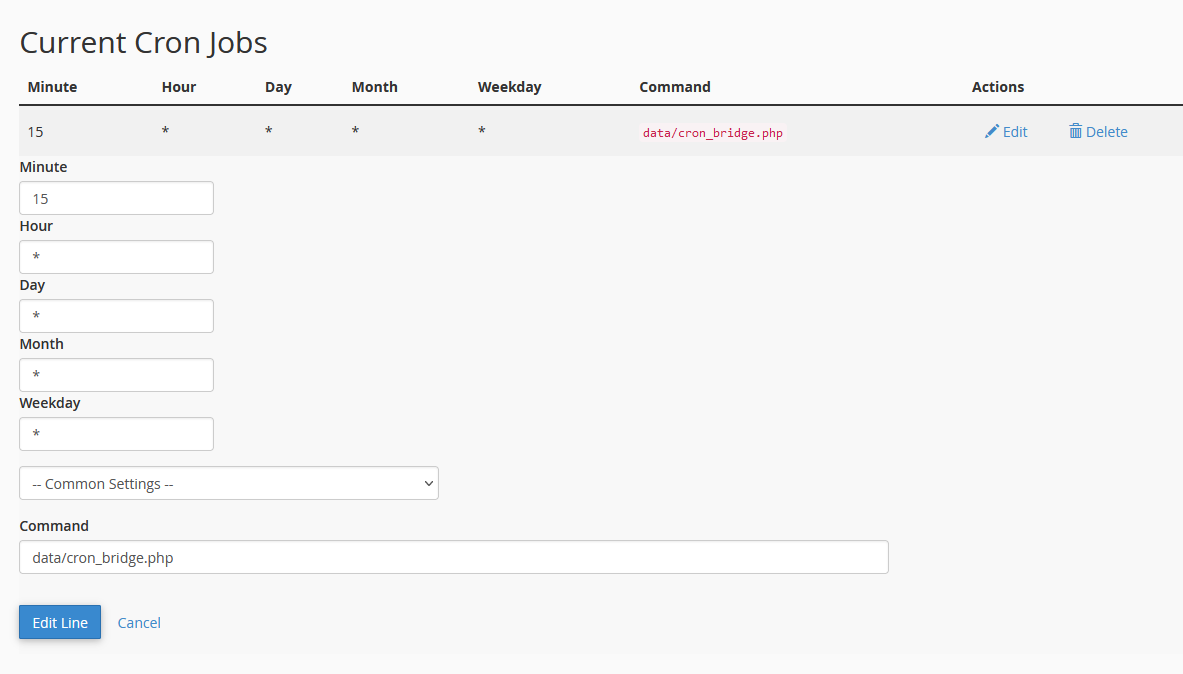
Would you say this looks correct, or is this incorrect?

Capture.PNG

Post

Posted
Rating:
#8023
That does not look correct to me. data/cron_bridge.php is not an executable. It's a script, so you need to call PHP and pass in data/cron_bridge.php as an argument.

E.g. /path/to/php data/cron_bridge.php

Come control panels allow you to select a Cron as a PHP command. If that's the case and you chose PHP command/script, then you don't need to add PHP into the command.

Post

Posted
Rating:
Item has a rating of 5 Item has a rating of 5 Item has a rating of 5 Item has a rating of 5 Item has a rating of 5 (Liked by PDStig)
#8032
Hi Malatesa. Opening up data/cron_bridge.php?querymode=1 in your browser should reveal what you require, Just don't access the file directly without the query string otherwise Composr will think it's working when it's not. Been there, done that.

Post

Posted
Rating:
#8033
In alpha2, there will be a couple new warnings on the scheduler hooks page which will pop up if Composr believes something is wrong with them. I noticed sometimes it isn't clear enough to the admin when they are stuck.
0 guests and 0 members have recently viewed this.





