

[SOLVED] Catalogue Page Display
Posted
#7642
(In Topic #1932)

Can this be done?
Greetings,I am wondering if this is possible…. I am having to assume that there has to be a way to make it work and am hoping you smart people can help me.
I basically want to have summary input in the paragraph fields for the catalogues, and that the summary is what displays in the table page view. I also want to have the field 1 be a title link to the entry and remove the extra column and view button.
Here's pics to kind of show what I mean.
Minus the theming (I can handle that myself), I want to make this…
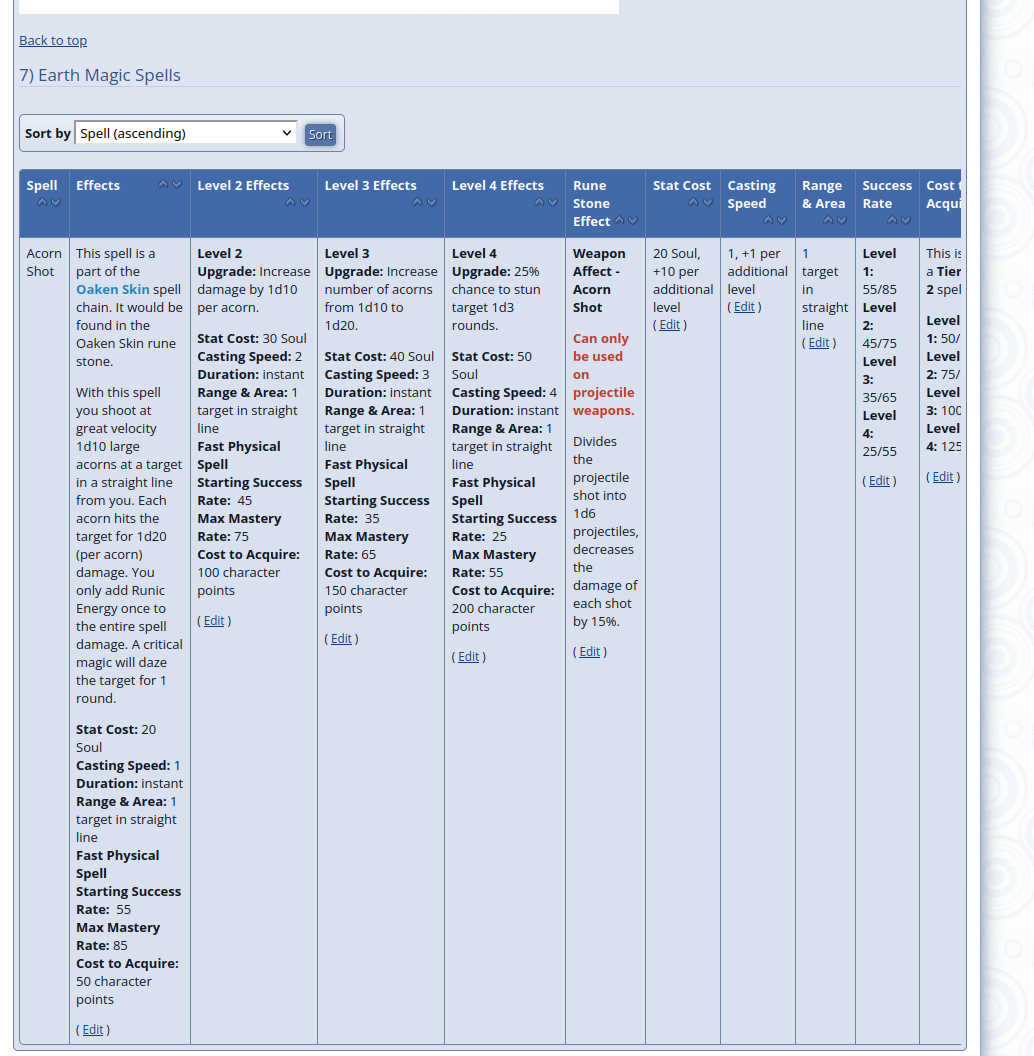
Look like this….
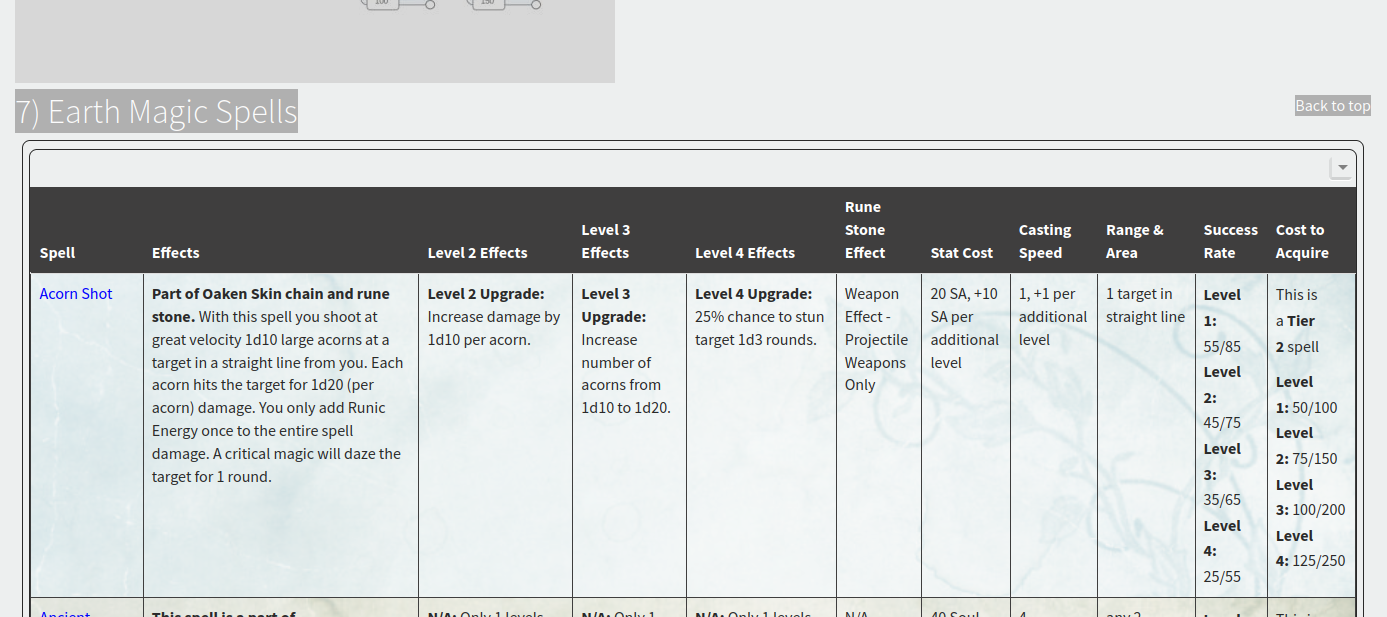
I love the catalogues, I just don't like the presentation…
 Last edit: by mythus
Posted



Core Developer


First, you can create a template override by catalogue. So you can copy various files like themes/default/templates/CATALOGUE_DEFAULT_TABULAR_ENTRY_*.tpl to themes/your_theme/templates_custom/CATALOGUE_codename_TABULAR_ENTRY_*.tpl where your_theme is the codename of the theme you're using (or "default" to make this available across all themes), and codename is the code name of your catalogue (all lowercase). These templates will override the catalogue defaults for your specific catalogue. And then you can make necessary edits in there, such as hyperlinking field 1:
CATALOGUE_codename_TABULAR_ENTRY_FIELD.tpl (Note that I did not test this)
Code
			{$,Read the catalogue tutorial for information on custom catalogue layouts}


{$SET,REAL_VALUE,{VALUE}}

{+START,IF,{$EQ,{FIELDID},0}}

{+START,IF_NON_EMPTY,{VIEW_URL}}

   {$SET,REAL_VALUE,< a href="{VIEW_URL*}">{VALUE}< /a>}

{+END}

{+END}


<td>

   {$GET,REAL_VALUE}


    {+START,IF,{$NEQ,{FIELDID},0}}

        {+START,IF_NON_EMPTY,{$GET,EDIT_URL}}

            <p class="associated_details">

                ( <a href="{$GET*,EDIT_URL}">{!EDIT}</a> )

            </p>

        {+END}

    {+END}

</td>
For summaries, you can't exactly add a summary to a paragraph field. What I would recommend is add a summary field first, visible on catalogue category screens etc. Then add the paragraph field immediately under it, not visible on the search / category screens. While both fields will be visible when viewing the individual spell, only the summary should show on the table.
Last edit: by PDStig
For summaries, you can't exactly add a summary to a paragraph field. What I would recommend is add a summary field first, visible on catalogue category screens etc. Then add the paragraph field immediately under it, not visible on the search / category screens. While both fields will be visible when viewing the individual spell, only the summary should show on the table.
Yeah, I had thought of doing that, but thought it might look too.... I don't know the word for it, cumbersome? I wonder if it would be possible to hide such "summary" fields in the page/item display? Maybe with tempcode? Something to think about....
I also thought that the ckeditor had paragraph field summary ability? Maybe I'm wrong...
Thanks for taking the time to respond though and for the tempcode trick!
Posted
Core Developer
mythus said
Yeah, I had thought of doing that, but thought it might look too.... I don't know the word for it, cumbersome? I wonder if it would be possible to hide such "summary" fields in the page/item display? Maybe with tempcode? Something to think about....
From “Post #9352”, 21st Apr 2012
Yeah it may look a bit tacky. There is no easy way to do it right now; the visible field, if disabled, will hide the field entirely including on the table. Perhaps that is something you or someone else could develop or add to the tracker… a new field type hook "A paragraph of Comcode text with a non-Comcode summary" or something. Or, expanding the "visible" option on a field from a checkbox to a dropdown with options like: "Yes", "Yes except catalogue entry screen", "Only on catalogue entry screen", and "No".
Summaries are separate from the CKEditor. They just use a basic textbox and are mainly used in news, I believe.
Posted
..
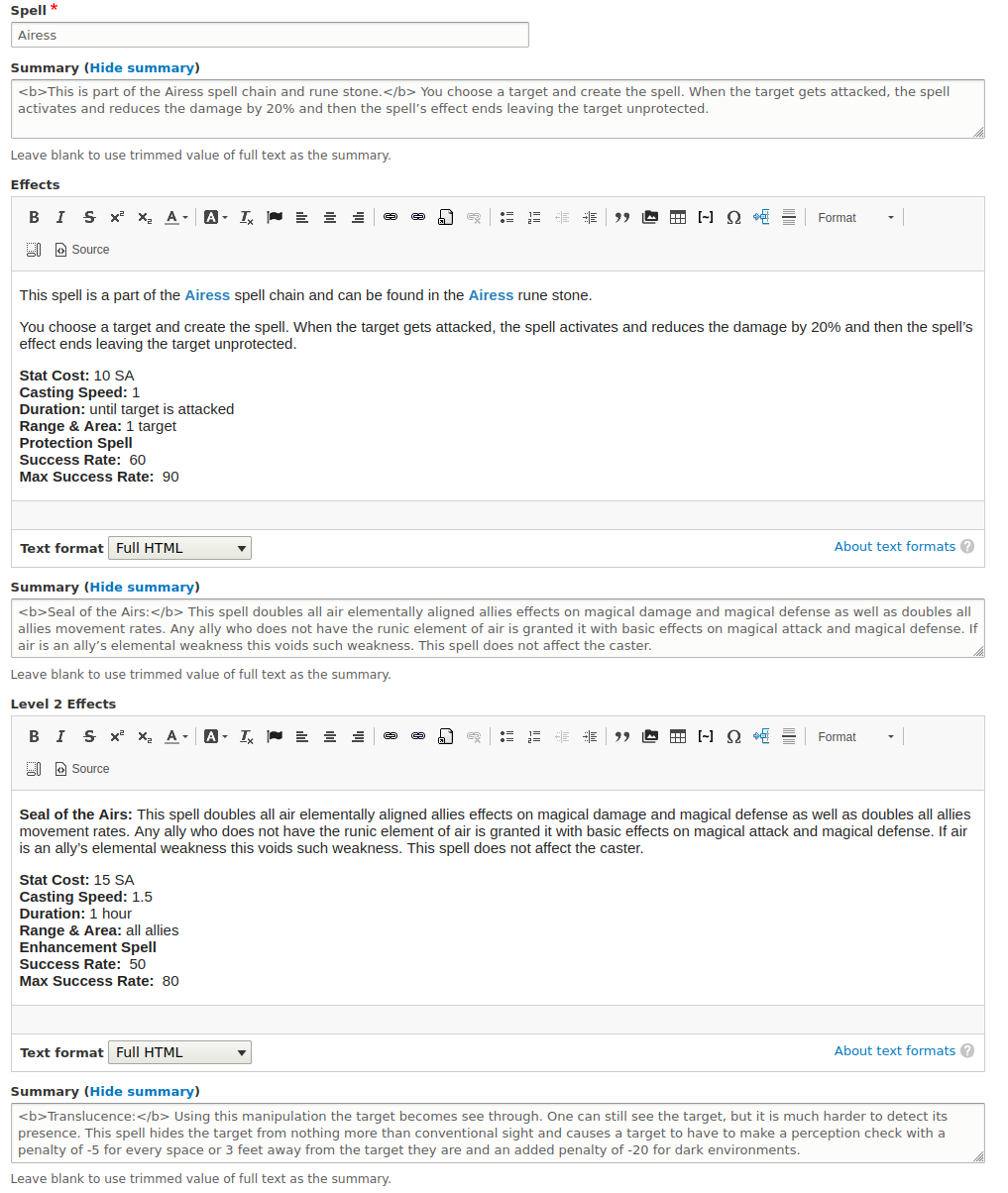
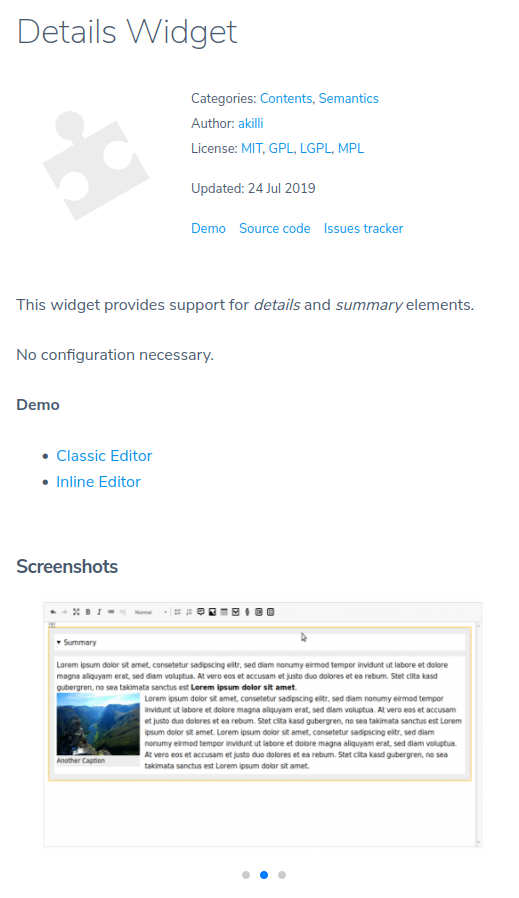
I think I am probably asking for too much lol. I feel like I am asking for something akin to content creator that is found in drupal, which isn't really fair to composr. To be fair, that is the only aspect I like better there that isn't in composr, wheras I like composr better for practically everything else. It isjust that content fields and such are a large part of my website.
Posted
templates/CATALOGUE_spells_TABULAR_ENTRY_FIELD.tpl
Code
{$SET,REAL_VALUE,{VALUE}}

{+START,IF,{$EQ,{FIELDID},0}}

{+START,IF_NON_EMPTY,{VIEW_URL}}

   {$SET,REAL_VALUE,<a href="{VIEW_URL*}">{VALUE}</a>}

{+END}

{+END}


<td>

   {$GET,REAL_VALUE}


    {+START,IF,{$NEQ,{FIELDID},0}}

        {+START,IF_NON_EMPTY,{$GET,EDIT_URL}}

            <p class="associated_details">

                ( <a href="{$GET*,EDIT_URL}">{!EDIT}</a> )

            </p>

        {+END}

    {+END}

</td>
Posted
Core Developer
What is happening / what do you see when you try this? That might help me understand what's wrong without setting up a v10 install.
Posted
To troubleshoot, I've done the following:
1.) I made the template in both default and theme.
2.) I used composr cleaning tools to deal with the fact that the file was made outside the template.
3.) I completely cleared firefox's cache.
4.) I opened the template in composr checking against what you gave and using the tutorial looking for any mistype. Didn't find any.
If it is helpful, I can grant you admin rights to where I'm trying this. Let me know if you want to and I'll give you the site link for it.
I tried to test out composr 11 and couldn't get it to install lol… I am looking forward to that one as well.
Posted
Core Developer
I've explored this further, but unfortunately the amount of time taken on this has exceeded what I can provide in free support. Essentially, there is a "got you" where Composr does not pass in a "VIEW_URL" unless comments, ratings, and/or trackbacks are enabled on that specific catalogue entry.
Furthermore, another file CATALOGUE_codename_TABULAR_ENTRY_WRAP.tpl needs added to templates_custom. In that file, just put [$SET,VIEW_URL,[VIEW_URL]] under [$SET,EDIT_URL,[EDIT_URL]] (change all [] to curly brackets).
Finally, add to _config.php the following to empty the cache on the next page load:
if (!defined('DO_PLANNED_DECACHE')) define('DO_PLANNED_DECACHE', true);
This might, or might not, get you somewhere. But if you would like me to explore further including taking a look at your site, that is a paid service I offer. Please private message me if you wish to go that route.
Beyond that, I'm opening up to the rest of the community to provide input.
Posted
Code
A parameter, [tt]VIEW_URL[/tt], is referenced in the template, [tt]CATALOGUE_spells_TABULAR_ENTRY_FIELD[/tt], but not passed
@Patrick Schmalstig, I will be sending you a message to see what you would charge. I thank you for all your help.
Posted
Core Developer
mythus said
Ok I am getting this:
Code
A parameter, [tt]VIEW_URL[/tt], is referenced in the template, [tt]CATALOGUE_spells_TABULAR_ENTRY_FIELD[/tt], but not passed
@Patrick Schmalstig, I will be sending you a message to see what you would charge. I thank you for all your help.
From “Post #9366”, 28th Apr 2012
I feared that… as mentioned, VIEW_URL is not always passed by Composr, which is odd it was coded that way. I can override the code for you so it is always passed. It's a little tricky to explain how to do on a forum. I may consider making this change for v11 because I see no reason why we wouldn't / shouldn't always pass a VIEW_URL.
0005432: Catalogues: View links should always be visible on category screen - Composr CMS feature tracker
Posted
I was also experimenting on trying to simply move the view buttom to the first column. So far I can only move it outside of the table. Gah lol.

Core Developer
Code
			<?php


function init__catalogues($code)

{

    i_solemnly_declare(I_UNDERSTAND_SQL_INJECTION | I_UNDERSTAND_XSS | I_UNDERSTAND_PATH_INJECTION);


    if (!addon_installed('catalogues')) {

        return $code;

    }


    // Force passing in VIEW_URL at all times into the catalogue category templates

    $code = override_str_replace_exactly(

        "\$tab_entry_map = \$entry['map'] + (array_key_exists(\$i, \$extra_map) ? \$extra_map[\$i] : array());",

        "<ditto>

        \$has_view_screens = true;",

        $code

    );

}
This will force $has_view_screens in catalogues.php, which determines whether or note VIEW_URL is passed / empty, to true. That way, VIEW_URL is always passed in regardless of feedback settings. Note that unless you make template overrides preventing it, you will always have view buttons on tabular screens for each row / entry.
0 guests and 0 members have recently viewed this.


