

Custom Fields in store items
Posted
#6998
(In Topic #1700)


I'm back using Compo.sr!
After selling my website in 2015 (built with OcPortal), I'm back and now using it to build my football club's website!
Must say, I'm a little rusty but I think I've found my way around my old friend!
Anyway, my question is...
Is it simple to add extra fields to store items? I'm really struggling to find it!
I need to add a size dropdown and a text input for a small line of text!
Any help would be massively appreciated!
David (formerly djdaveyp85)
Posted



Moderator


If we are talking about the Products feature, this is a custom catalogue. You can just edit the Products catalogue and add the new fields you require

Posted
So here is an item in my product shop...
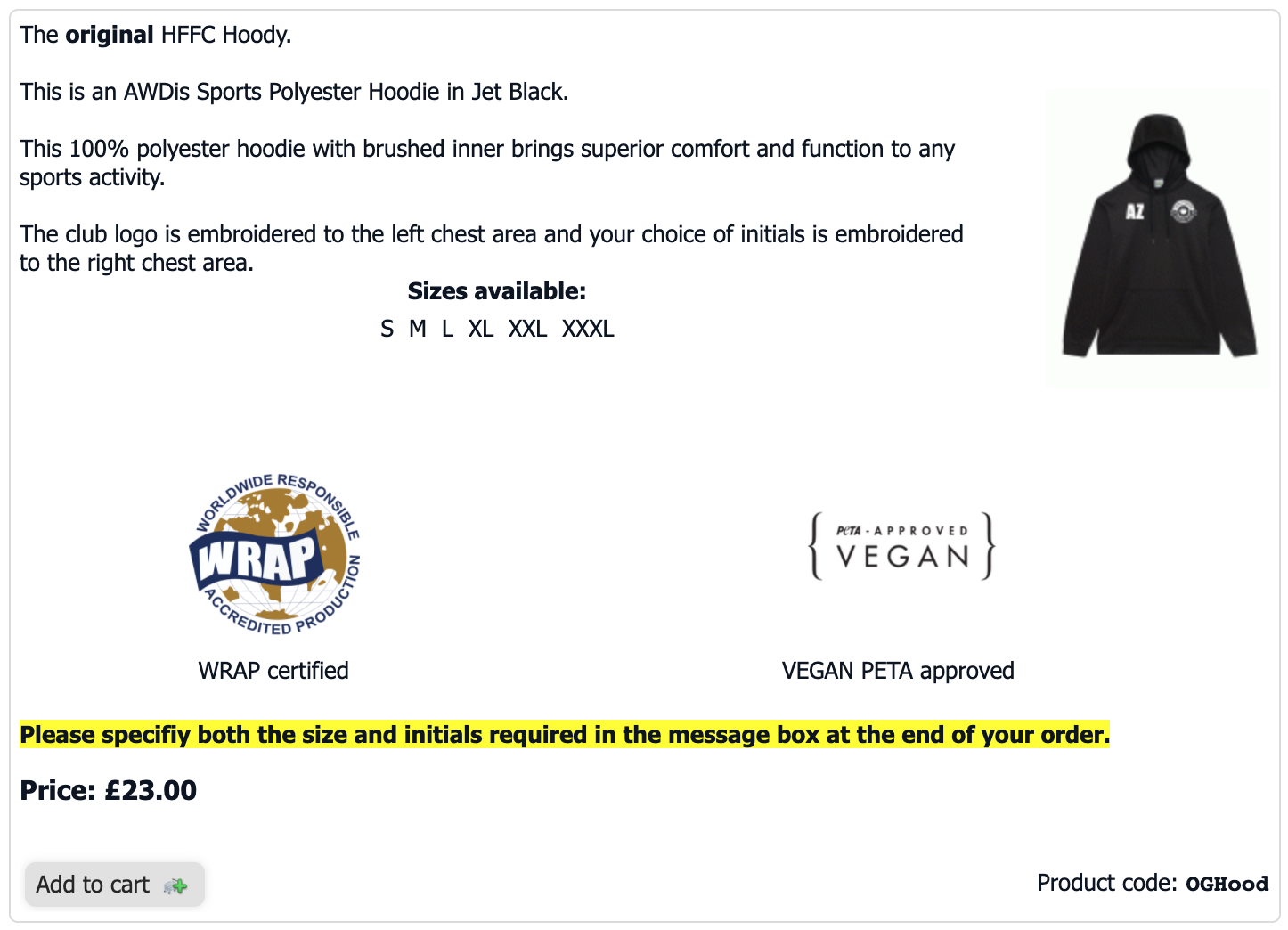
What I'm looking for is the ability to select a size from a dropdown box and enter the customisation details in a text box before clicking add to basket to save me having to put the text currently highlighted.
When I tried to add fields to the catalogue this just seems to add fields to the actual product creation screen rather than the shop screen for the end user.
I must be missing something!
Posted

Moderator

The documentation covers this, in the eCommerce tutorial under the "Product options" section.
Composr Tutorial: eCommerce

Open Source CMS with advanced social, interactive and dynamic features. Fully flexible, themeable and extendible: suitable for building powerful websites.
It is possible to do a workaround via PayPal, but this would require all product options to result in the same price.
There's no hiding the fact Composr's built in eCommerce system is on the simpler side.
Posted
Posted
Moderator

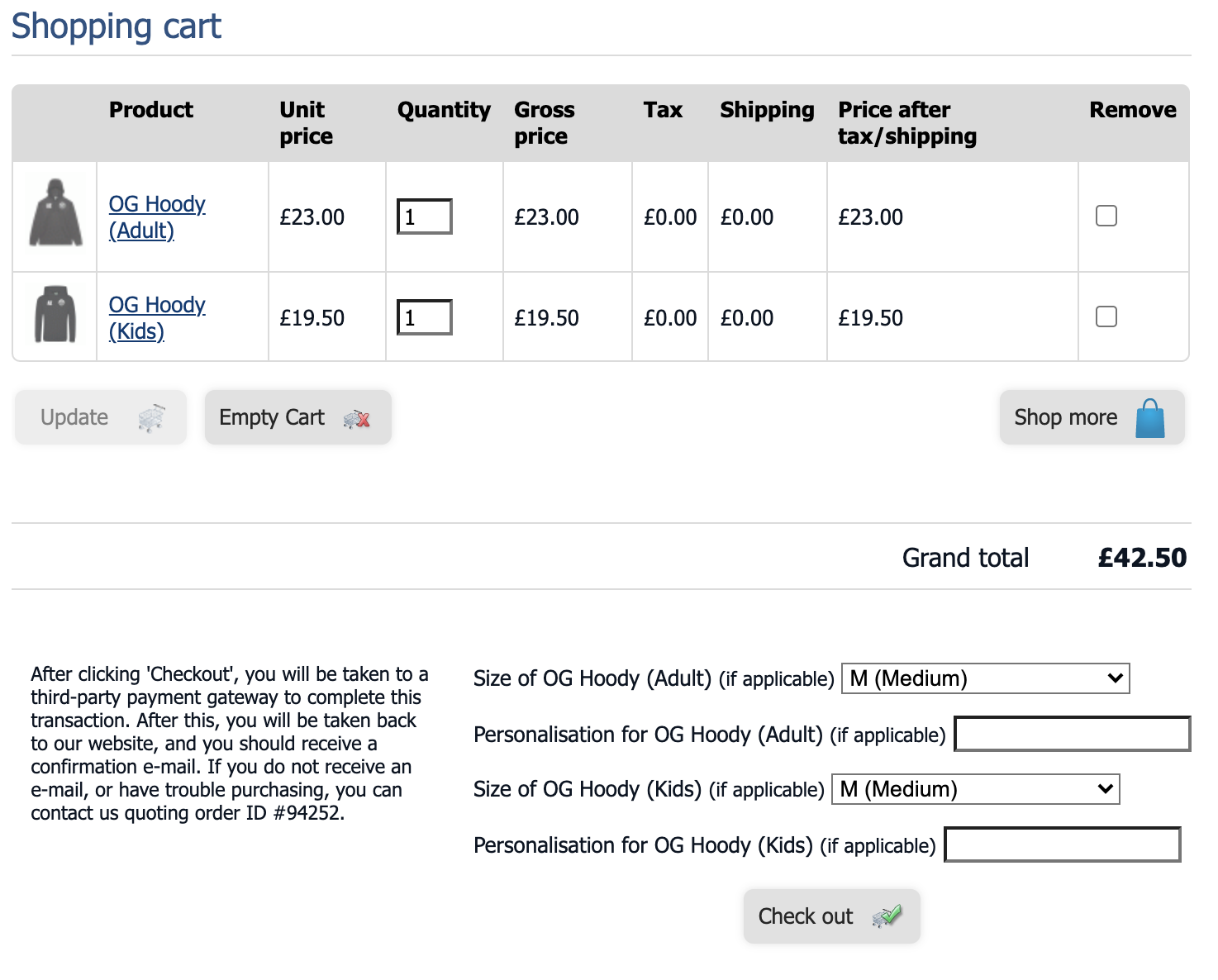
I understand this isn't primarily an e-commerce system so that will work great for now.
Maybe when we get up and rolling we can look at funding some improvements! For now that is great. I haven't seen the result at the other end yet because I'll need a completed transaction, but it seems to serve the purpose!
Thanks for your help.
Posted
Sorry to be a pain but hopefully I could ask another question.
Is it possible the store could simply email me a shopping cart instead of using something like paypal? So we could send an invoice using our own means? It would also make it easier to place our order with our supplier.
Posted

Posted
Moderator
Sorry you didn't get a timely reply.
It's not going to work through the eCommerce system without custom programming.
If you are just selling a few items, you might be good to use the main_contact_catalogues block on a number of standalone pages.
You set up a catalogue for each item, and a Comcode page that uses the main_contact_catalogues block. main_contact_catalogues turns the catalogue into a form based on the fields of the catalogue and the results e-mailed.
1 guest and 0 members have recently viewed this.


