

[Issues Solved!] Trials and Tribulations of Upgrading to Composr
Posted
#613
(In Topic #173)
A diary of successes and lots and lots of failures
Greetings,I have decided to document here the issues I am experiencing upgrading from ocPortal v9 to Composr. Here's hoping that this will not only help me and others, but also help Composr.
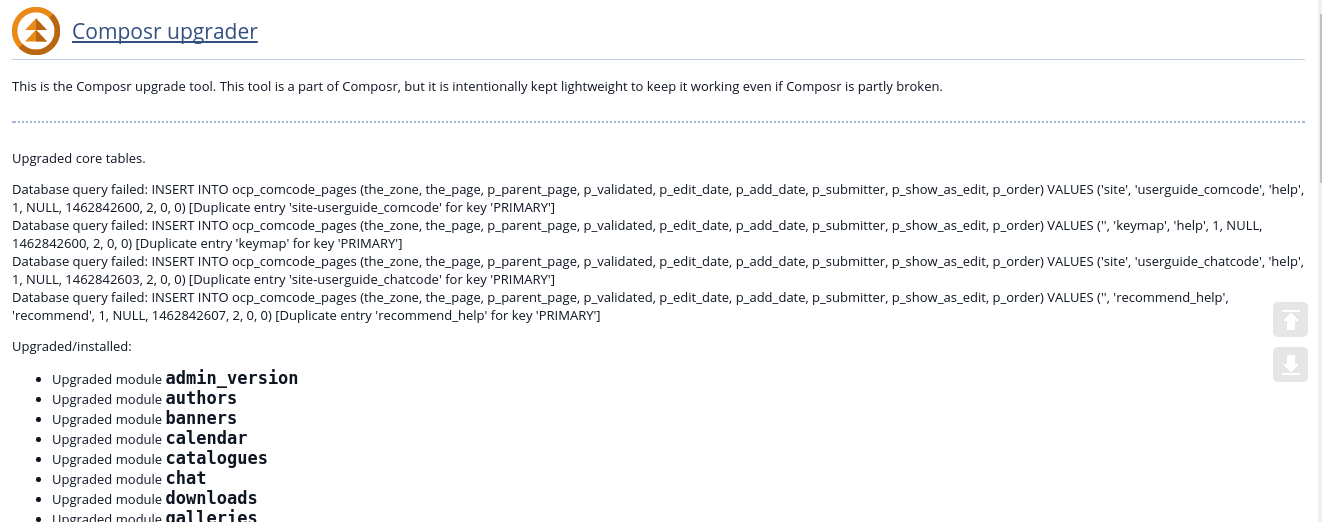
First error, if you will, is a database upgrade error - though the database successfully updated?
Next is after all the upgrading is said and done - missing symbols:
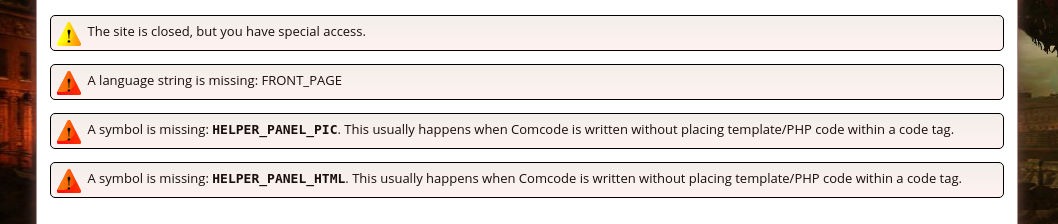
That actually turned out to be a theme issue. Using the default theme made those errors go away. But I thought I should point it out anyway, just incase anyone else has that error. Just go to default theme. I know it is a pain to have to redo our custom theme, but we knew this was coming with such a huge upgrade.
All of that aside, the one issue that may prove to be a dealbreaker for now - as in keeping me on ocPortal until it can be resolved, is with the Wiki+ (Wikiversr? lol). As you will see in this pic, there is no listing of wiki child pages, nor a way to do anything about it - can't edit trees, can't make posts. You can only unmonitor. My site makes HEAVY HEAVY use of the Wiki+…
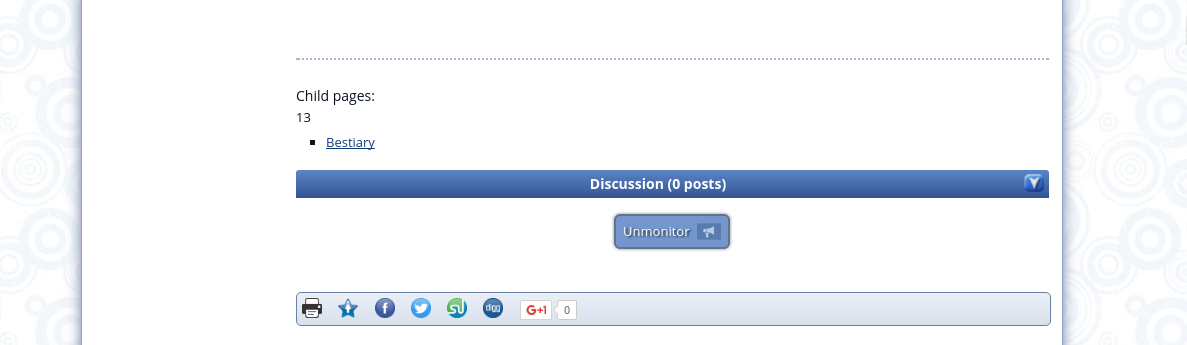
As you can see, I am using default theme in that pic, so it is not a theme issue, as far as I can tell.
As I find more, I'll update this thread. Hopefully this will show some of the problems that could happen with an upgrade to Composr, and maybe some fixes for those issues. There are many small things of course that can be fixed by simply using default theme and remaking your theme on it. Hopefully I'll be able to achieve that well enough, admittedly it is not something I look forward to doing but it is a bitter pill that I am willing to swallow.
Neat how this text box expands as you type btw. Not sure yet what I think about that. But as long as the formating bar at the top remains visible it should be cool.
Issues posted in this thread have been solved
 Last edit: by mythus
Posted
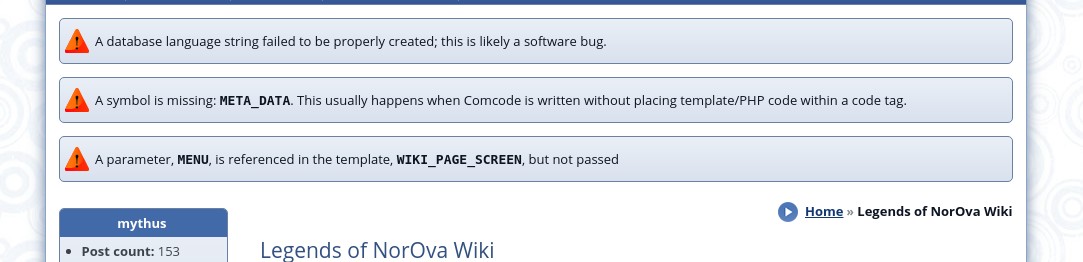
The above error only happens on the Wiki index page. Of course the only reason I know this is because of the Random Wiki Page feature. After all, I cannot use the tree to navigate to different parts of the Wiki thanks to the bug mentioned above. Anyway, on every other wiki page, the language string error is not present, the other two are though. And yes, I've added the language string to the correct global.ini.
It seems that the majority of the issues experienced with the upgrade are with the Wiki+…. However, there is a strange error I get when viewing one of my catalogs.
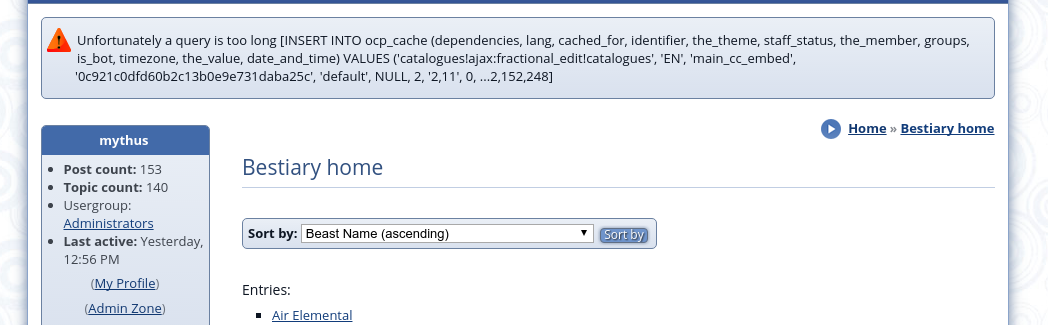
Curisor and curisor, is it not?
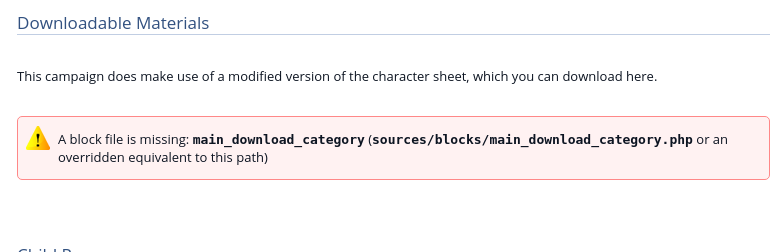
BTW - I've also seen what might be a bug, or might simply be fixed by editing the page and putting the block back in. Hard to test though since I have no way to edit the Wiki+ pages now. I am hoping that it is fixable though, missing this feature is really gonna complicate things for me…
Posted


Moderator


First error, if you will, is a database upgrade error - though the database successfully updated?
Benign, can ignore, but fixed for next release.
Next is after all the upgrading is said and done - missing symbols:
Okay, something you have is referencing these and they really are gone. Search your custom templates and Comcode pages for those strings.
{!FRONT_PAGE} is probably now best {!HOME}.
(continuing to read through)
Moderator
There was one multi-lang-content bug which I've fixed on your server.
On your menu is an error about side_ocf_personal_topics, it's now side_cns_private_topics. The upgrader should have handled that but didn't due to a bug.
The "Unfortunately a query is too long" error relates to the MySQL max_allowed_packet setting. I suggest setting quick_cache="1" on the block, it will improve performance anyway.
main_download_category no longer exists, you'll need to use main_multi_content instead, filtered to a particular download category. The blocks in v10 have been better unified.
Ok, I've caught up with all that you wrote now.
Posted
Chris Graham said
Next is after all the upgrading is said and done - missing symbols:
Okay, something you have is referencing these and they really are gone. Search your custom templates and Comcode pages for those strings.
Yeah, it was a theme issue. I actually stated that in my post I think? Anyways, the solution seems to be to rebuild the theme using default theme. I might be able to go through and find all of the changes that need to be made to my theme, but that is doubtful - I've slowly modified that theme over time and can't remember all that I've changed lol.
Chris Graham said
The main issue was WIKI_PAGE_SCREEN.tpl was still overridden within the default theme. I made an _old folder under themes/default/templates_custom and moved the override into that. Now it works.
There was one multi-lang-content bug which I've fixed on your server.
Thanks so much! My wiki works again! And, thanks for that other fix as well!
Chris Graham said
On your menu is an error about side_ocf_personal_topics, it's now side_cns_private_topics. The upgrader should have handled that but didn't due to a bug.
Yeah, I didn't even address that "bug" because I knew that was the case, and knew how to fix it. I just hadn't done that yet. Thanks though for noticing it, and glad that seeing it pointed out a bug for you to squash!
Chris Graham said
The "Unfortunately a query is too long" error relates to the MySQL max_allowed_packet setting. I suggest setting quick_cache="1" on the block, it will improve performance anyway.
But, that Bestairy Page is a simple catalog index. It isn't a block. I don't recall putting a block on their either, but I guess I could check that out.
Chris Graham said
main_download_category no longer exists, you'll need to use main_multi_content instead, filtered to a particular download category. The blocks in v10 have been better unified.
I thought/hoped it was something like that. Similar to the side_ocf_personal_topics thing. So, an easy fix.
OK, So I've noticed that the text box expands and you loose sight of the formating buttons. This could prove to be quite a usability issue. Is there a way to stop this behavior?
And thanks again Chris, you truly are awesome.
Posted
Moderator
OK, So I've noticed that the text box expands and you loose sight of the formating buttons. This could prove to be quite a usability issue. Is there a way to stop this behavior?
IIRC this is the auto-grow plugin for CKEditor, edited in the WYSIWYG_SETTINGS.js template. You'd need to empty the template cache after editing that template.
Posted
BTW - how do you get main_multi_content to show a specific category? I saw things about virtualroot, which I tried, and about filtercodes which I don't know anything about.
Posted
Moderator
Posted
But it didn't work. It gave me everything in downloads:

When all I want is from that one category, Downloadable Materials…
Posted
Moderator
Posted
Posted
Moderator
Posted
In your theme templates, look for WYSIWYG_SETTINGS.js template. It is a javascript template.
Add autogrow to the remove plugins =" ", so it looks like this:
removePlugins: 'autogrow',
Use your website cleanup tools to clear the templates cache.
And there you go, no more auto sizing WYSIWYG editor box.
Moderator
To show downloads in category #4, do a main_multi_content with type 'download' and a Selectcode of '4*'. (specially the Selectcode (1) field). The * means category, it's saying anything under category #4.
Moderator
Posted
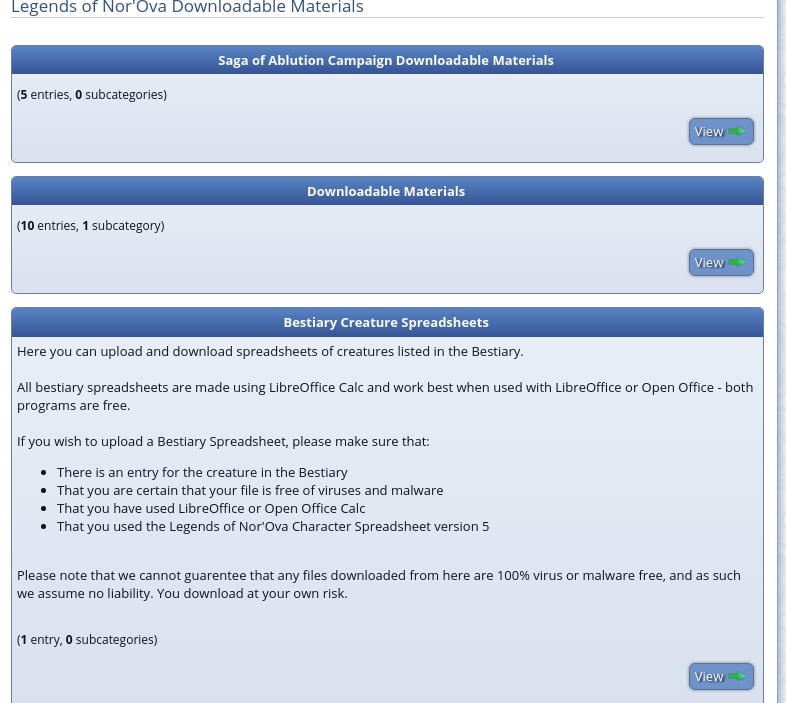
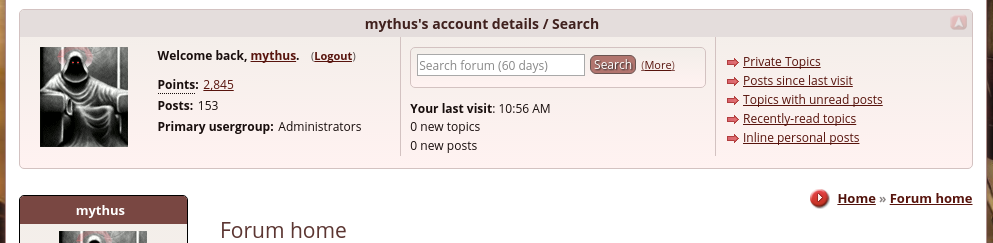
Anyway I can get the top and bottom forum-blocks back like I have in ocPortal?
Screenshots to show what I mean.
Moderator
There are a few ways you could approach the change, but let's imagine that you simply want them on the forum zone.
Go to Admin Zone > Structure > Redirects, and remove the pre-created redirects for panel_top and panel_bottom. Then the top/bottom panels are per-zone.
Then create forum:panel_top with:
Code
[block]main_member_bar[/block]
Then create forum:panel_bottom with:
Code
[block]main_bottom_bar[/block]
If you want it to just show on forumview and topicview, wrap the Comcode on those pages with:
Code
{+START,IF,{$EQ,{$PAGE},forumview,topicview}}
...
{+END}
Posted
I'm actually debating whether or not I even want a top block on the forum now. You are right with the slimmer approach you have for composr. I suppose it is just hard to let go of things that you are used to lol.
As for the bottom block, the only reason I want it is because the side-users-online block for Composr doesn't work… You knew that of course. Right?
BTW - Im in the middle of moving over my test upgrade to my live site. I feel everything is working well now, thanks to you.
Posted
I moved my test site to my live site. It isn't showing my background image and says the IMG symbol is missing. Also, I tried to change my avatar that Chris says is now fixed in the tracker, but I get the following:
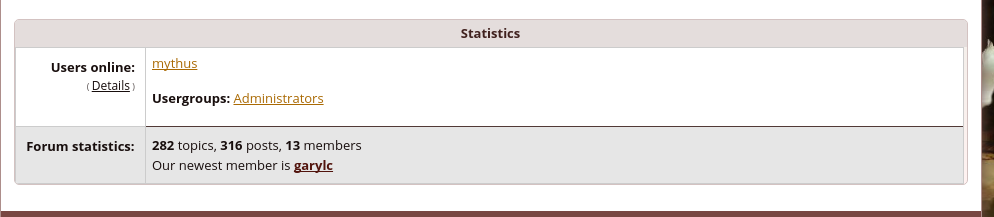
Did something weird happen when I moved the site to live? Everything moved over as far as I can tell…
3 guests and 0 members have recently viewed this.


