

[HOW TO] Fix Catalogue Table Columns
Posted
#6104
(In Topic #1270)

How to fix the column width so things display better
Greetings,It is possible that this only bugged me. However, I solved it for myself and thought I'd share with you wonderful folks!
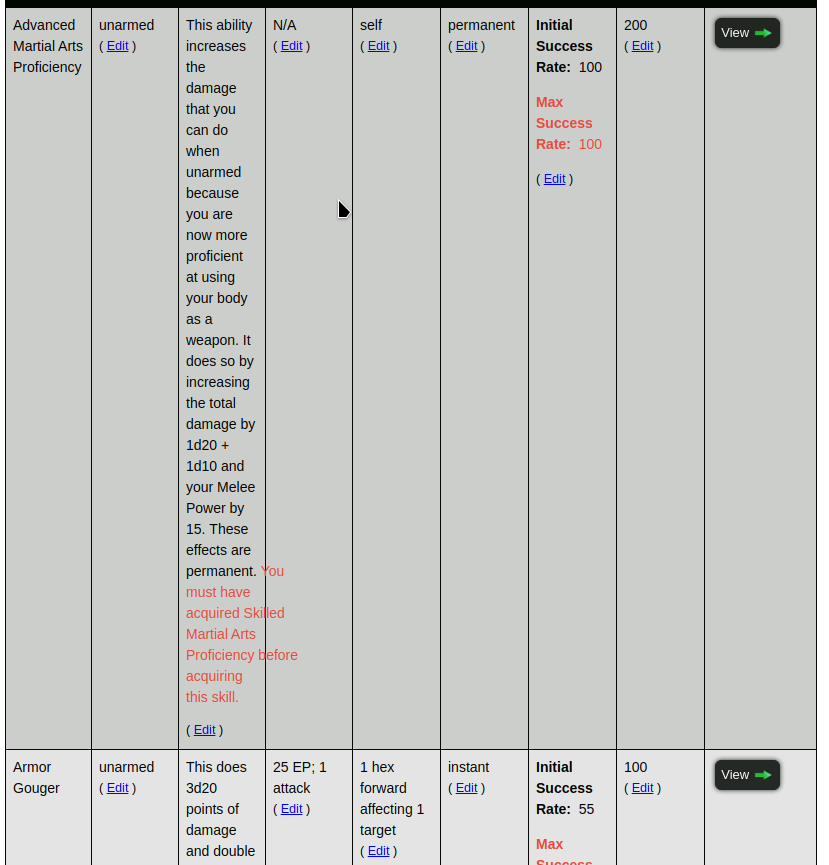
While embeding some catalogues into wiki pages, I noticed something I didn't like. The column widths were all the same width and this not only caused the columns with more info to get longer, sometimes words would overlap the column borders. See the screenshot below:
Well, I didn't like this, so I fixed it. By editing my theme's global.css:
Code
.wide_table {

    width: 100%;

   {+START,IF,{$EQ,{$LANG},EN}}

        table-layout: fixed;   <--- comment this line out

    {+END}

}
As noted in the comment, I commented out the "table-layout:fixed;" line. This gave me a far better looking result:
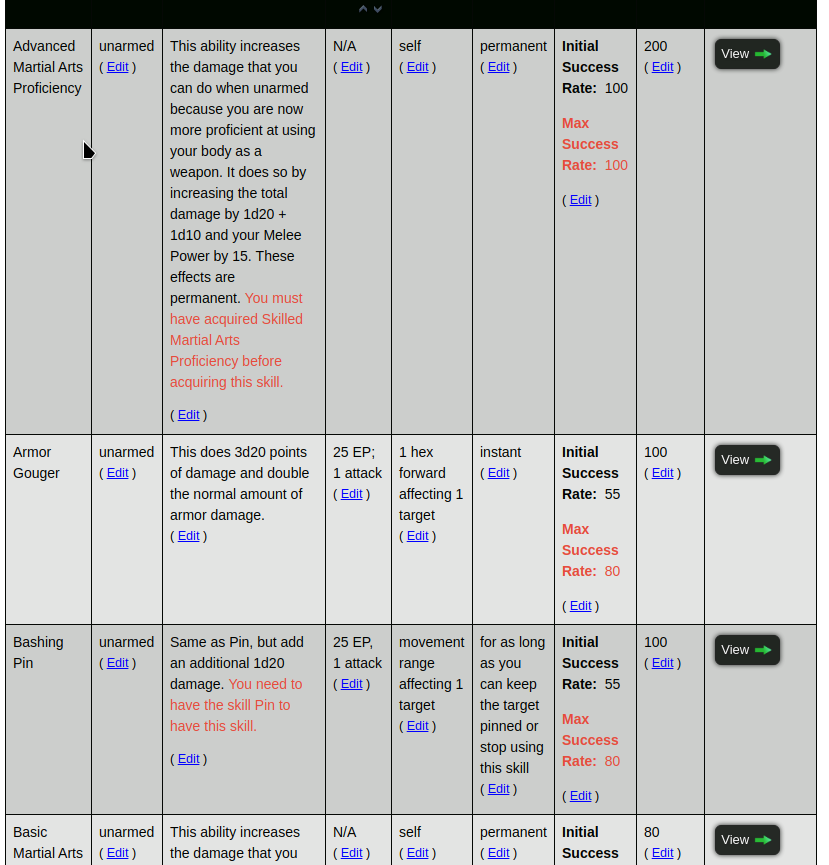
As you can see, no more words spilling into the next column and things seem to fit and look better IMO. It still maintains its overflow factor, so still fine for phones.
Posted


Moderator


That said, I think we can call what you found a bug 0004292: Catalogue tabular view should auto-size - Composr CMS feature tracker
1 guest and 0 members have recently viewed this.


