

Comcode media tag issue (split from other topic)
Posted
#5624
(In Topic #1151)

Another smallish issue, Editing the main page, I can add "Insert some Comcode: media"
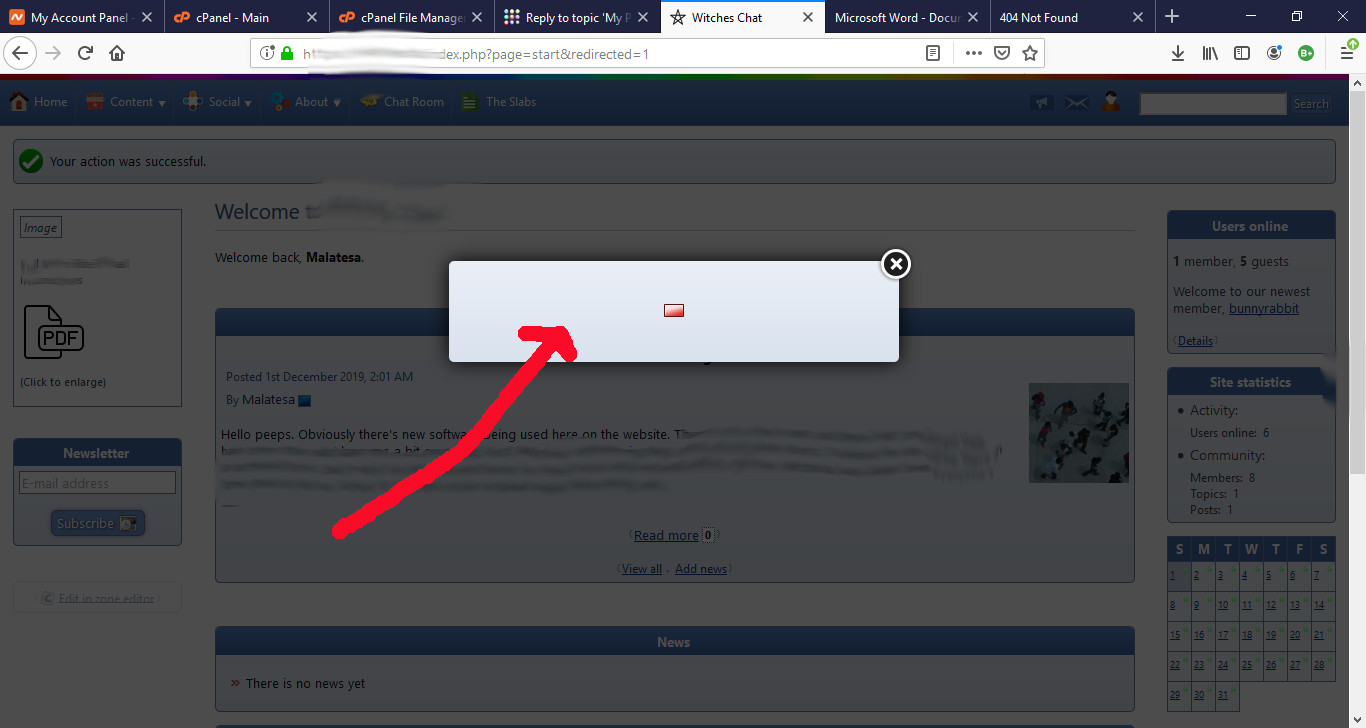
This allows me to add a small thumbnail on the left pane that people can click on to pull up / links to a pdf that's on the server. In experiments, the pdf can be opened if I paste the url in the address bar, so it's accessable to the public, but once I save everything, the thumbnail shows in the pane just fine, but clicking on it tries to open it in a sort of modal box in the center of the website, but it never opens. Hovering my mouse over the thumbnailo for the pdf shows that it's pointing to the pdf url correctly, and right-clicking on it and "open link in new tab" pulls the pdf up just fine.
Posted


Moderator


I think you're telling us that you:
- Clicked the Comcode icon in the WYSIWYG
- Selected 'media'
- Pasted in the URL to a PDF ('File')
- Entered the URL to a thumbnail ('Thumbnail')
- Changed the rendering type to "Image"
- Saved the tag
- Saved the content
That was the only way I could reproduce at least.
If you select to render a PDF as 'Image', it's going to fail when the thumbnail is clicked as it can't put a PDF into an HTML <img> tag.
Only some media renderers can use thumbnails.
The media/attachment system isn't intended for detailed web design, just quickly linking something in with some basic settings. You'd need to do normal HTML authoring to go deeper than that.
0 guests and 0 members have recently viewed this.



