

Digest emails
Posted
#5532
(In Topic #1131)

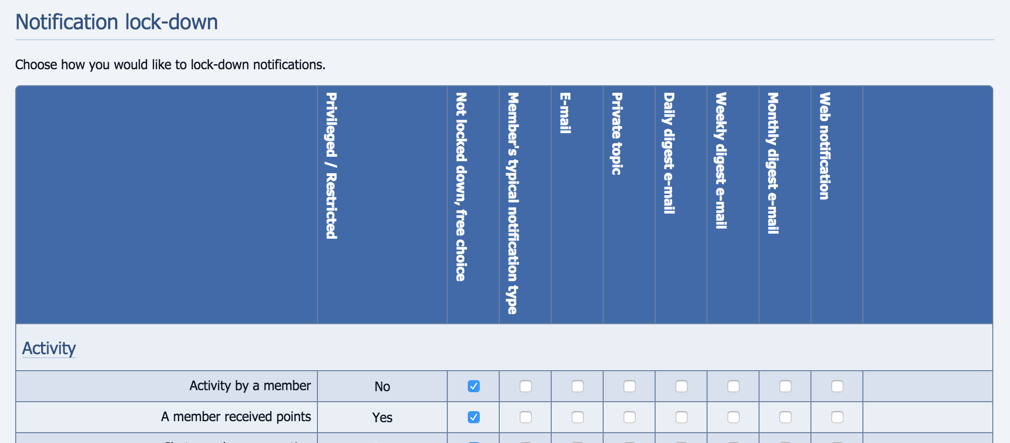
This is what I see on mine:
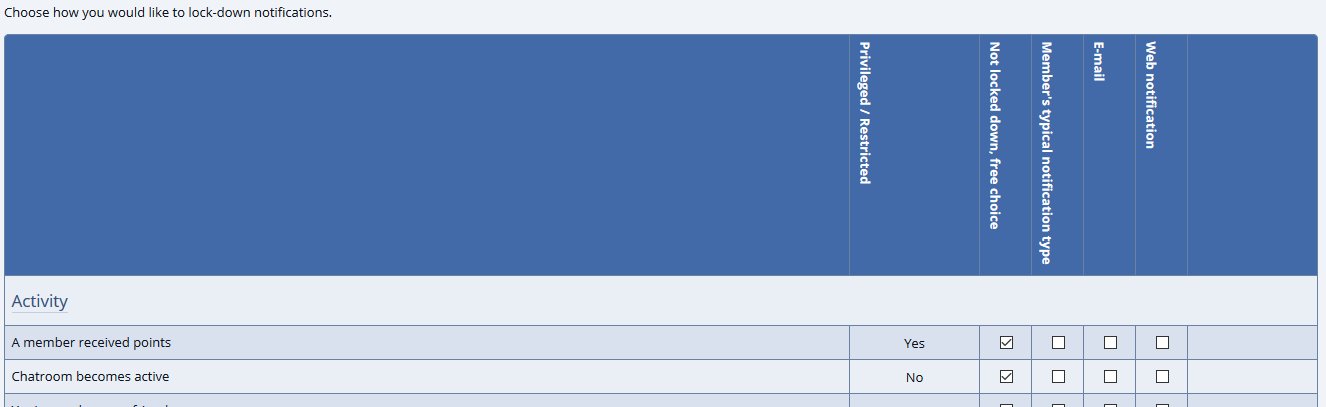
What am I missing? I have the cron job (cron_bridge.php) running if that matters.
Thanks…
Posted


Moderator


It looks like you've not yet set up the system scheduler (Cron). Scheduler-related features won't show up until you do.
Posted
Chris Graham said
Hi,
It looks like you've not yet set up the system scheduler (Cron). Scheduler-related features won't show up until you do.
From “Post #6019”, 14th May 2020
Here's what I'm seeing in my host's cpanel:
Domain-specific example:
/usr/local/bin/ea-php99 /home/hhsnet/domain_path/path/to/cron/script
In the above example, replace “ea-php99” with the PHP version assigned to the domain you wish to use. Look in the MultiPHP Manager for the actual PHP version assigned to a domain.
Based on that I have this command set up for running every minute:
/usr/local/bin/ea-php71 /home/hhsnet/public_html/data/cron_bridge.php
So that looks to be the correct setup.
Posted
Moderator
I just checked and actually there is a config option that's off. Sorry, forgot about that. You can find by searching the Admin Zone for "notification_enable_digests".
If it is Cron, to identify if Cron being wrong though, you can check it, run this in Commandr…
Code
:echo get_value('last_cron');
This site will allow converting the number to a date:
Epoch Converter

Convert Unix Timestamps (and many other date formats) to regular dates.
Composr will consider Cron running if it has run within the last 5 hours.
Posted
That was it. All the digests show up now.Chris Graham said
I just checked and actually there is a config option that's off. Sorry, forgot about that. You can find by searching the Admin Zone for "notification_enable_digests".
Thanks! That technique worked very well for giving me the confidence that the cron job was running properly.Chris Graham said
If it is Cron, to identify if Cron being wrong though, you can check it, run this in Commandr…
It will give you a unix timestamp (a number) that says when Cron last run.Code
:echo get_value('last_cron');
This site will allow converting the number to a date:
Epoch Converter
Convert Unix Timestamps (and many other date formats) to regular dates.
Composr will consider Cron running if it has run within the last 5 hours.
From “Post #6025”, 16th May 2020
I very much appreciate your prompt and helpful responses to my "onion peeling" questions.
0 guests and 0 members have recently viewed this.



