Can Not update website

Post

Posted
Rating:
#4615 (In Topic #933)
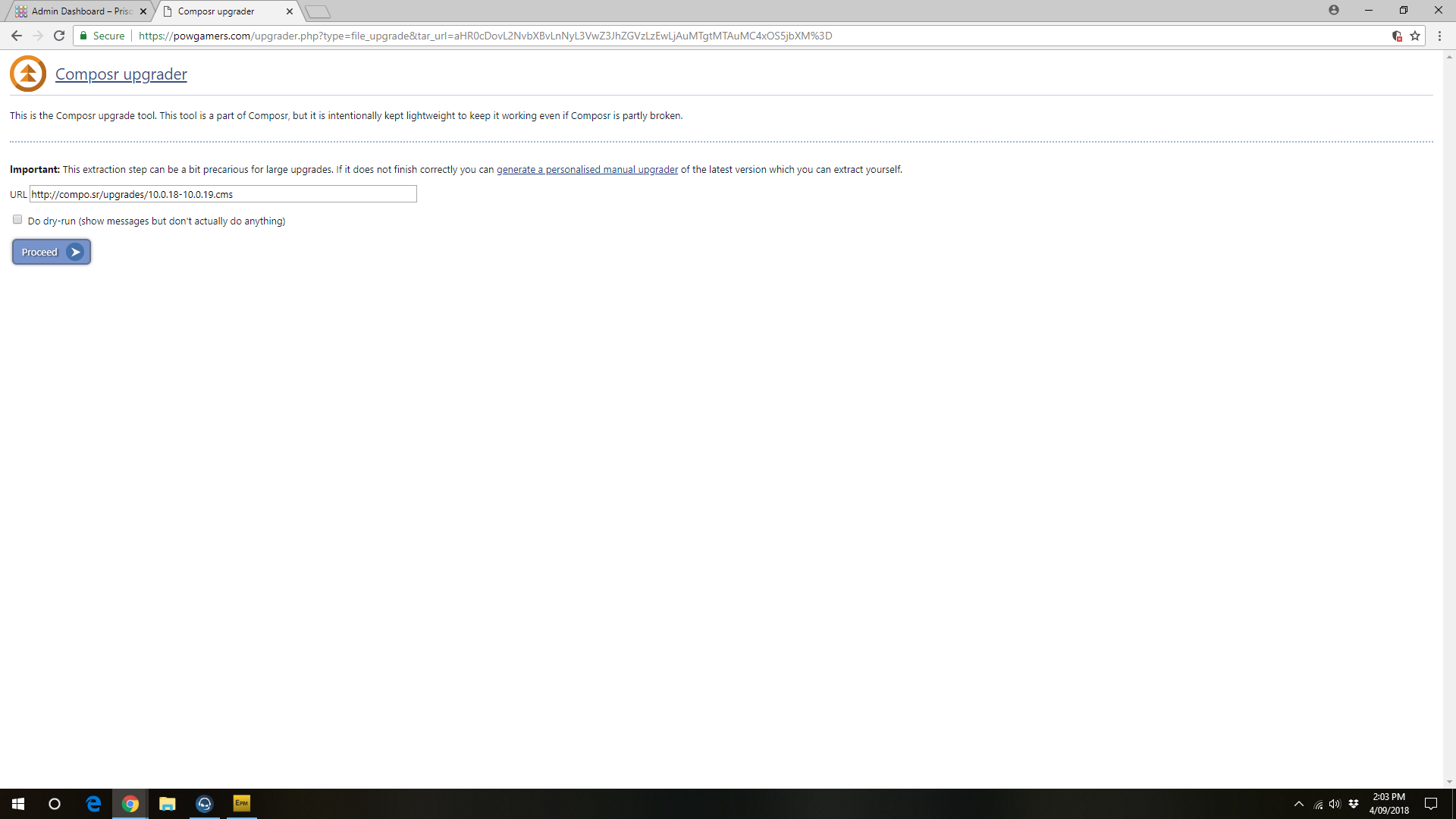
Hey guys ive been using composr for quite sometime and the issue im having and my website host is that when i run the launch upgrader then i goto Transfer across new/updatefiles in the pic provided named composr upgrader 
Composr upgrader.png

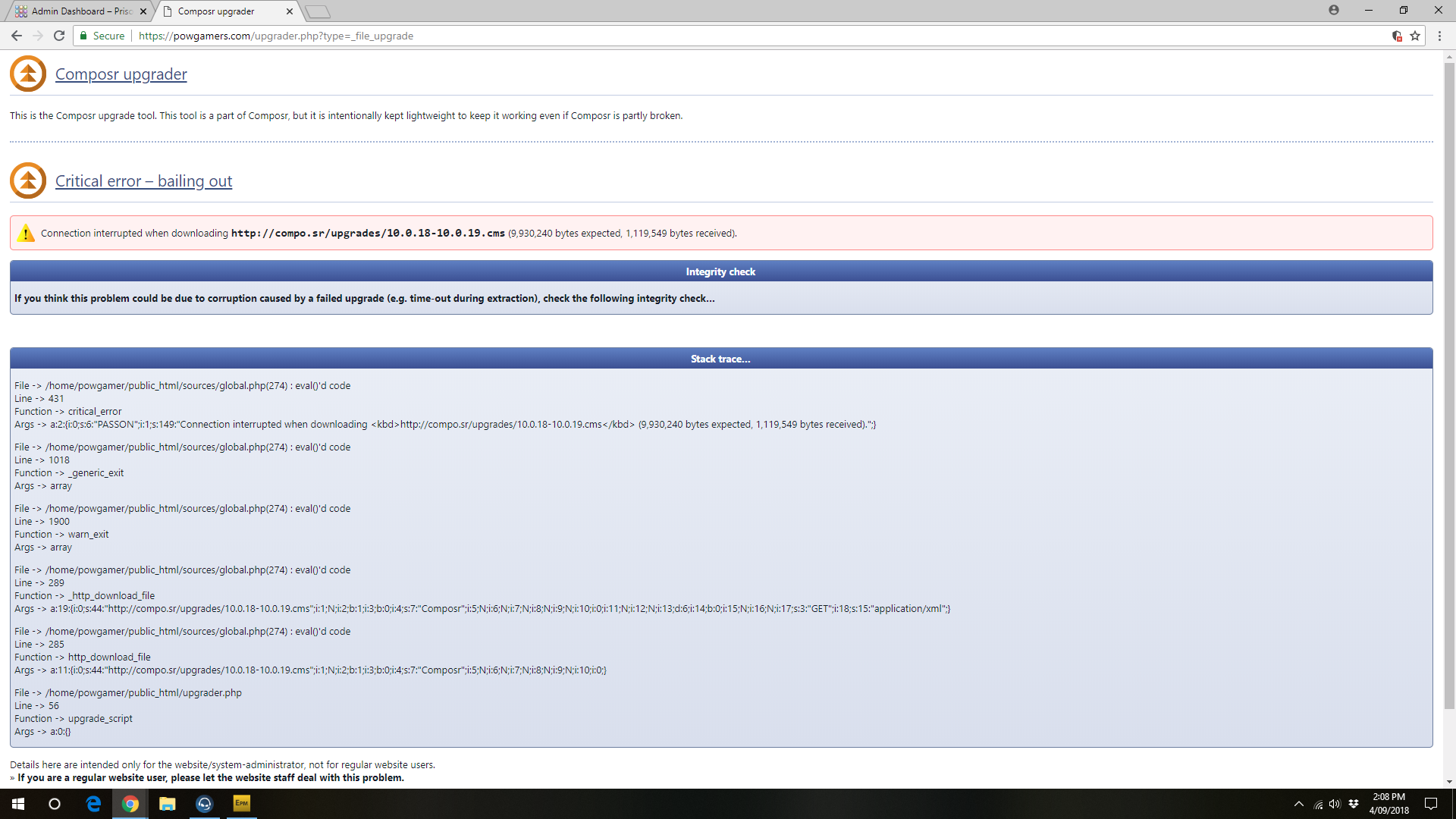
and when i press proceed i get this
error.png

but i dont no how to update it with these errors, would anyone share some light on it please on how it can be fixed so i could update my website
 

Post

Posted
Rating:
#4617
You should see a link in there to download a customised upgrader that you can extract manually. That will side-step this problem of a HTTP timeout your host is giving you.

Post

Posted
Rating:
#4618
I also checked and the file size of this upgrade is a bit high as we updated CKEditor in it.

Post

Posted
Rating:
#4621
so if i download this manual update as i dont know how to install manual updates, is it easy or where shall i place it in what folder and so on

Post

Posted
Rating:
#4623
Make sure you use the generate personalised manual upgrader link as highlighted.

Screen Shot 2018-09-07 at 12.35.46 PM.png
You're uploading the files to the directory Composr is installed in. Everything in the upgrader archive is going to already be in there, so you should see the correspondence. E.g. both have a 'sources' directory.

Post

Posted
Rating:
Item has a rating of 5 Item has a rating of 5 Item has a rating of 5 Item has a rating of 5 Item has a rating of 5 (Liked by Adam EdingtonLiked by Chris Graham)
#4944
I just wanted to mention I've seen this error as well across three different servers recently (remote Linux VPS, my local Windows WAMP, and my local Linux LAMP servers). I traced the issue to the http_download_file call on or around line 285 of sources/upgrade.php within the case '_file_upgrade' code. That particular http_download_file call doesn't specify a timeout and defaults to a 6 second timeout.

The error probably doesn't happen to anyone doing upgrades at each point release and those that have a reasonable number of addons installed. Not doing upgrades at each point release and having an obscene number of addons installed must be causing the upgrade packs to take longer to be created and downloaded from the compo.sr website for some of my installations.

Post

Posted
Rating:
Item has a rating of 5 Item has a rating of 5 Item has a rating of 5 Item has a rating of 5 Item has a rating of 5 (Liked by Adam Edington)
#4952
I also ran into the interrupted download problem while importing non-bundled addons (17 addons). I changed the default timeout parameter for the http_download_file function in sources/global3.php from 6.0 to 60.0 as a workaround.
 

Post

Posted
Rating:
Item has a rating of 5 Item has a rating of 5 Item has a rating of 5 Item has a rating of 5 Item has a rating of 5 (Liked by Jason Verhagen)
#4958
Thanks Jason. We recently moved servers for compo.sr. We were on a modest dedicated server, and are now on a very high-spec VPS. On average we have more resources than we did before, but I figure that may not be the case for our bandwidth, hence increase in the file download times.

You are correct to point at the timeout. Usually the server-to-server transfer times are so quick that any kind of timeouts aren't going to be a problem for anything Composr is doing, but now we find a case where they are (previous cases would have just been a much rarer problem on the receiving end). Really we need the timeout to apply only to connect time or to stalled connections, not to the overall download time. I'm working on fixing this now. I'm not entirely sure yet if cURL can distinguish stalled times from overall download times, so if that's a problem I'll see what other options we have (such as increasing the timeout overall like you did).
2 guests and 0 members have recently viewed this.