

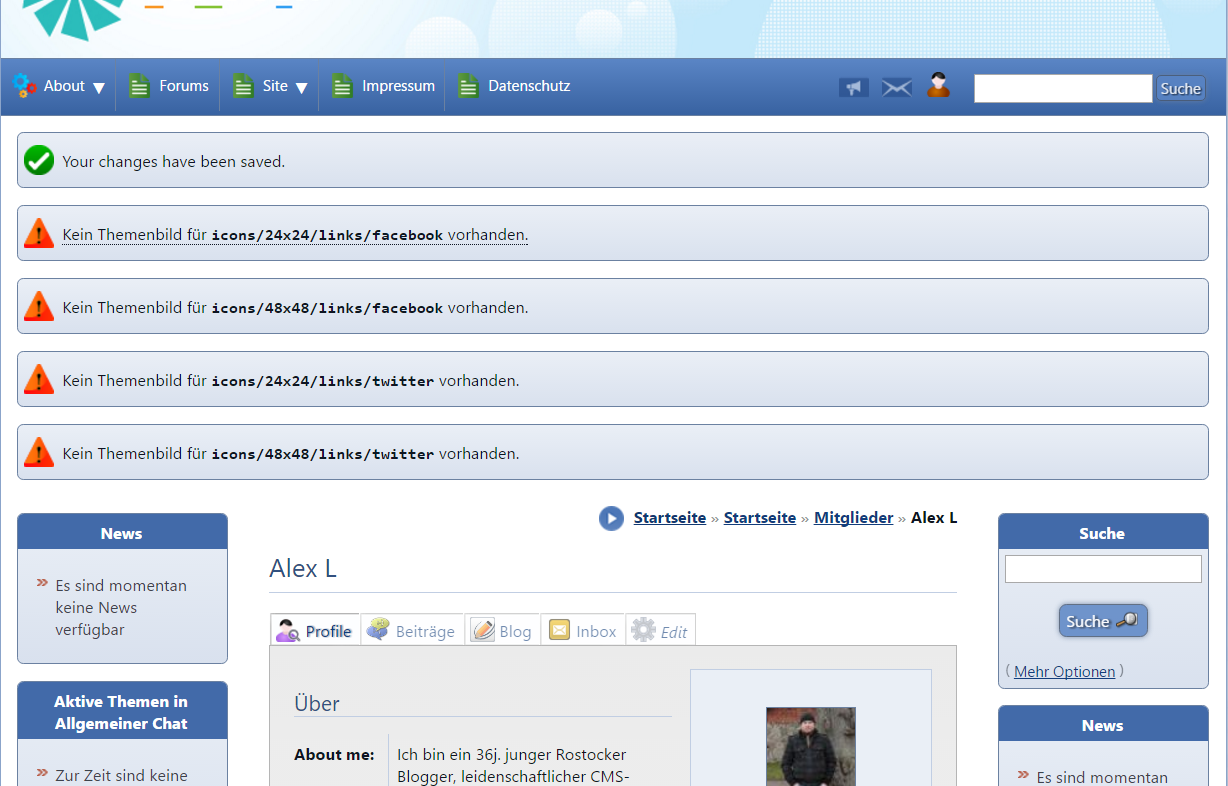
There are missing images for Facebook and Twitter at the user profile
Posted
#2377
(In Topic #478)

Today I edited my user profile in Composr CMS and added new details. The images for Facebook and Twitter seem to be missing. I add a screenshot to this post.
How do I add the images to the system or what files are missing?
Thanks in advance.
Posted


Moderator


In this one installing the recommend addon would workaround it.
Or, you can extract the following files from imports/addons/recommend.tar:
themes/default/images/icons/24x24/links/facebook.png
themes/default/images/icons/24x24/links/twitter.png
themes/default/images/icons/48x48/links/facebook.png
themes/default/images/icons/48x48/links/twitter.png
These should have been in our core addon (you don't need to do anything special there, just get the files back manually and that's enough). We'll resolve that in the next patch release.
1 guest and 0 members have recently viewed this.


