Working with menus

Post

Posted
Rating:
#1609 (In Topic #372)
Wow, the new auto-generating menus are pretty cool if I can learn to work with them. In the meantime, I clicked on the top menu, disabled auto-generated menus and edited the one there. My question is, because I just can't remember from working with ocP, are the menus stored in the database? I messed my site up, but downloaded all the pages and etc before uploading a fresh copy. Will I need to create a new pages menu or can I upload it somewhere?

Post

Posted
Rating:
#1610
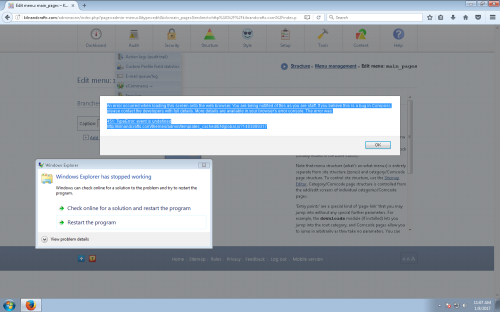
BTW, if one of the staff is reading this, since I disabled autogenerated menus I'm getting an error when I first click on edit the menu. My screen reader isn't seeing it as a window, so I can't copy and paste the exact error. I'll tried to track the wife down and get here to get a screen shot. However, it says something to the effect: "Error drawing this screen to your browser. You are seeing this message because your are staff. Error 451. More info can be found in your browser error console." then it gives another line concerning the error and points to an admin theme image. Again sorry, but recreating this from memory and I can't seem to find the error console in firefox. Otherwise I'd post it as well.

Post

Posted
Rating:
#1611
Ok, got a screen shot.

Image

(Click to enlarge)

Post

Posted
Rating:
#1620
Hi,

Assuming you didn't install with the content translations option enabled (it's not enabled by default) it should be possible to transplant the contents of the menu_items database table.

I'm looking at the screenshot now, I think it's a Firefox-specific issue (but a Composr bug).

Post

Posted
Rating:
#1621
Ok yes, sorry for the debug. It does only happen on Firefox and I've now fixed it for the next RC.
0 guests and 0 members have recently viewed this.