

Chinese (Taiwan) & Chinese (Hong Kong)
Posted
#1400
(In Topic #337)


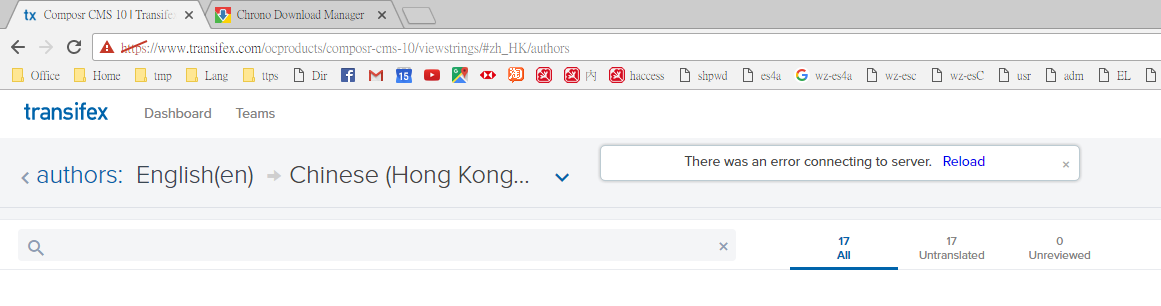
When I press "start translating", I was taken to zh_tw. Normal?





Some tips:
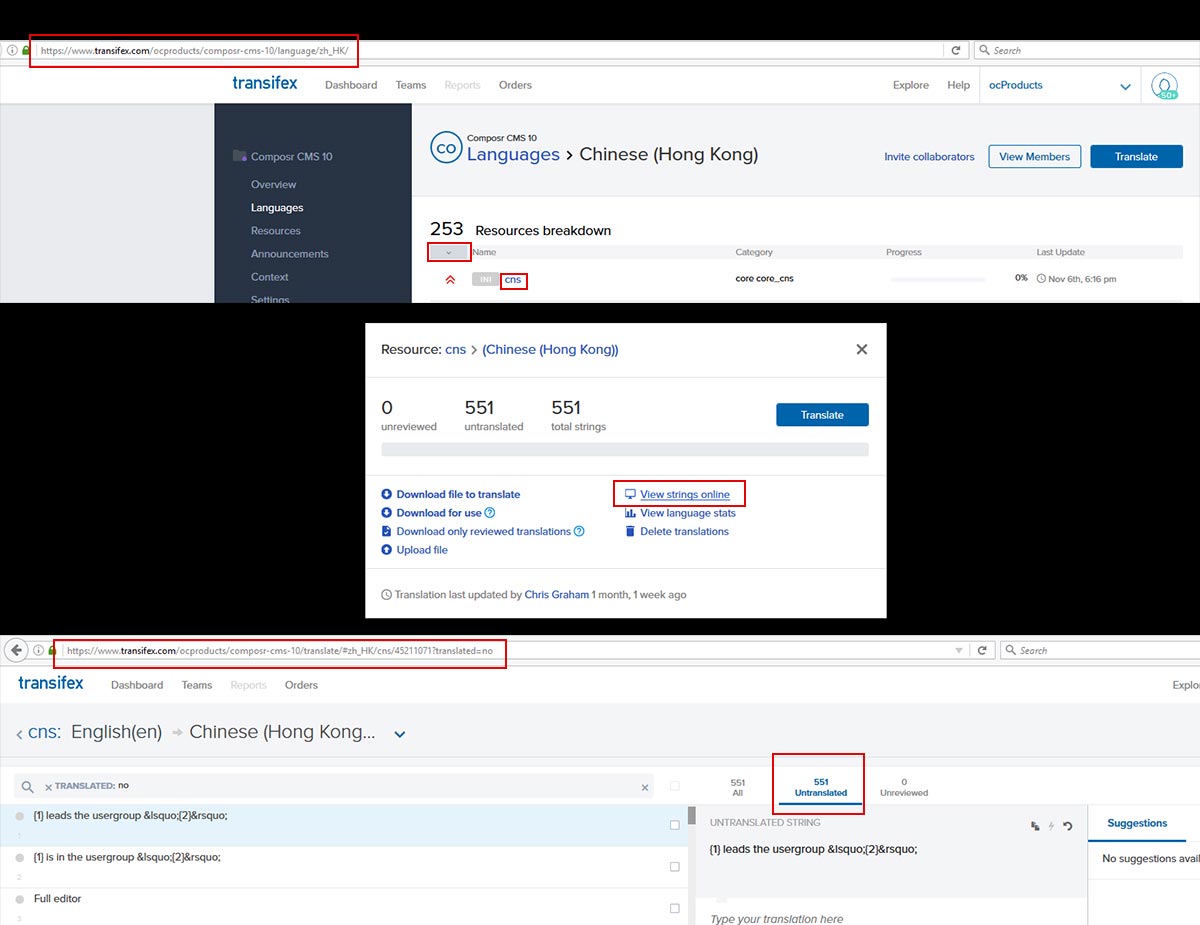
- Login to enter the link, https://www.transifex.com/ocproducts/composr-cms-10/language/zh_HK/
- Sort by 'Translation Priority' (The left most column with green, orange, red coloured legends).
- Click on the string 'Name' you want to translate. It is recommended to give translation priority to strings names in urgent(red) and high(orange) categories.
- A dialog screen will be shown, in that click, 'View strings online'. The link will take you to the strings to be translated. For example, for cns the link would be, https://www.transifex.com/ocproducts/composr-cms-10/translate/#zh_HK/cns/45211071
- Click on the 'Untranslated' filter to list the strings for translation and you can start translating.
Hope this helps.
Feel free to ask any question with regard to translation.
Happy translating

1 guest and 0 members have recently viewed this.


