Tip: Block permissions and visibility



https://composr.app/docs/tut-tempcode.htm
But this may be a bit overwhelming for many, digging through all the tempcode to find what you want.
First example will cover how to make a block ONLY visible to staff:
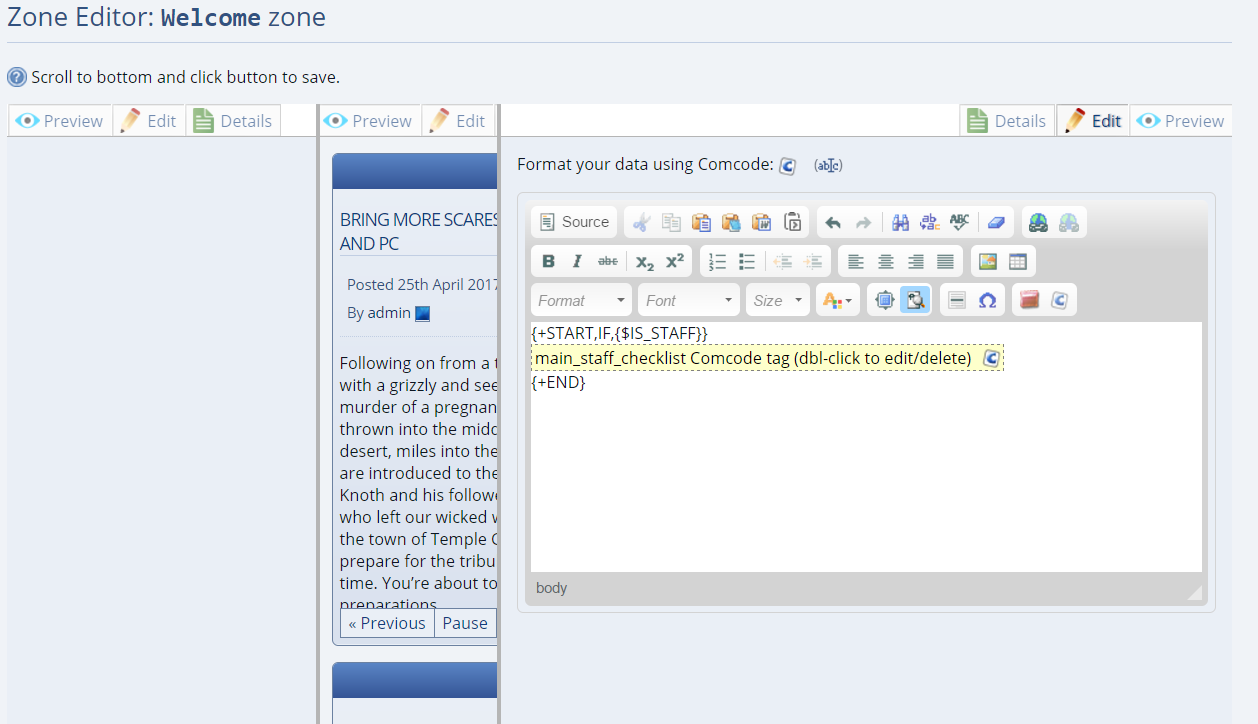
There are plenty of other examples on this. Feel free to ask if there is a specific permission you are trying to achieve.
One more example if will cover is hiding a block if you are viewing your site on a mobile. For me I am hiding my top nav bar and also my image slider.
To hide a block while viewing on a mobile do the following.
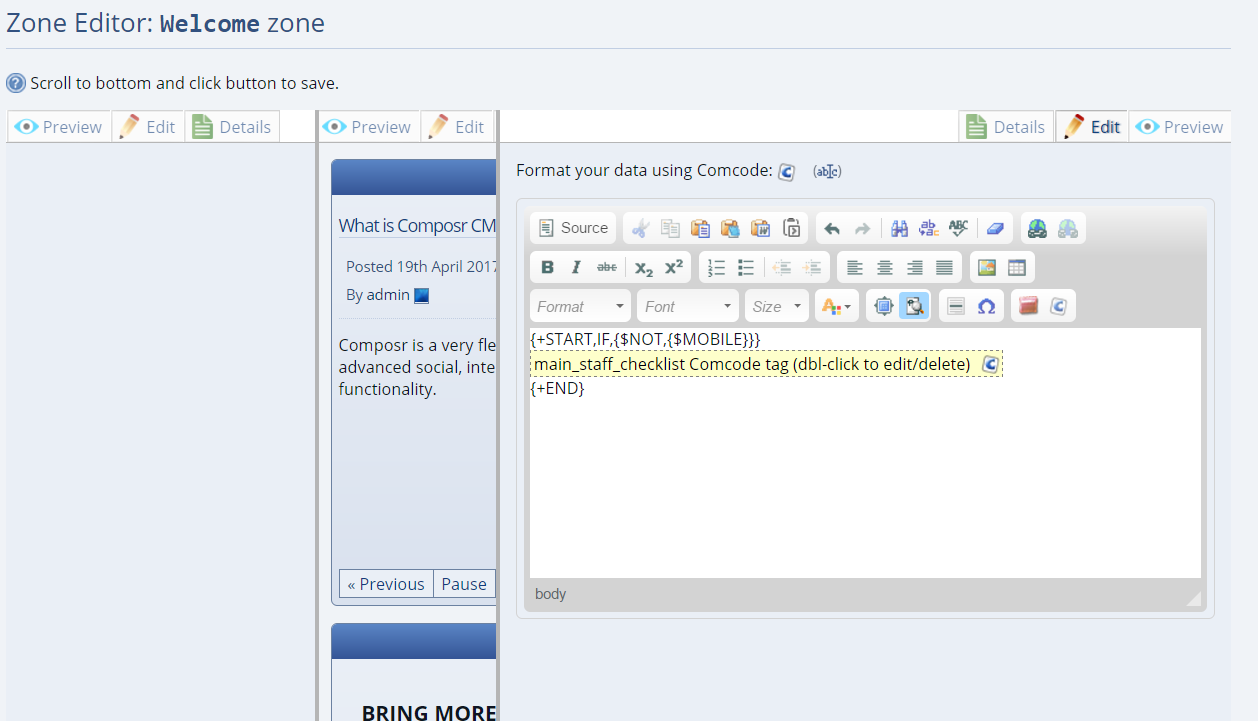
Basically this is saying if you are NOT viewing this on a mobile, then show the checklist block.
Regards blocks, permissions or visibility feel free to ask here.


Moderator


 . I just linked this into the tutorial index.
0 guests and 0 members have recently viewed this.